Guide + printable resource
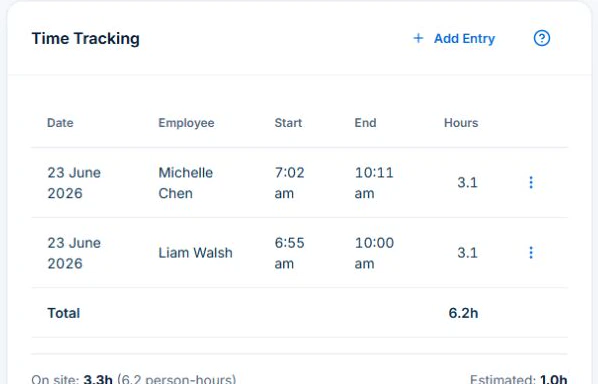
Use AxiomBlue’s Job Details, Tasks, Time Tracking and Materials cards as the working job card. Keep agreed scope, completed work and unresolved requests on the same job, then review its billing. The printable worksheet helps check those records; it is not an import file.
Read the guide →
Guide + printable resource
Use Axiom Blue job time as the input to Professional weekly timesheets, approval and CSV export. Check corrections, billable time and the payroll handover.
Read the guide →
Guide + printable resource
Keep the accepted quote, labour entries and material costs in AxiomBlue. Review them against the agreed revenue and approved changes, then calculate contribution on a consistent basis. Job contribution is distinct from whole-business profit and cash received.
Read the guide →
Guide + printable resource
Use the job’s Variations record on AxiomBlue Professional to describe and price a change, retain its approval and carry approved value into billing. Keep the original contract, requested extra and approval state distinct.
Read the guide →
Business guide
Use AxiomBlue’s Crew Throughput report on Professional to review completed HVAC job time, investigate overruns and improve the next duration estimate.
Read the guide →
Business guide
Use AxiomBlue Dispatch Map to compare a plumbing call-out’s proposed time, added driving and later-stop impact before assigning the job.
Read the guide →
Business guide
Use AxiomBlue’s Professional Recurring Services Health report to review lapsed job series, check visit history and agree the next action before rebooking.
Read the guide →