
Business guides & product help

Follow one job from customer approval to billing

Choose the stage you need help with. Compare software if you’re selecting a tool, or follow the AxiomBlue procedure to hand over an accepted quote, record work or prepare the bill.

Choosing the software

Try one job from customer acceptance to worker handover and invoice. Use the shortlist guide to choose candidates, then the trial checklist to record whether each product handles the same steps.

Running a job you already have

Convert the accepted quote, confirm the site and booking and give the worker the scope. When the work comes back, check the job record before billing. Choose the step below where your handover needs attention.

Explore tradie job management software

Start with one handover and choose the next guide

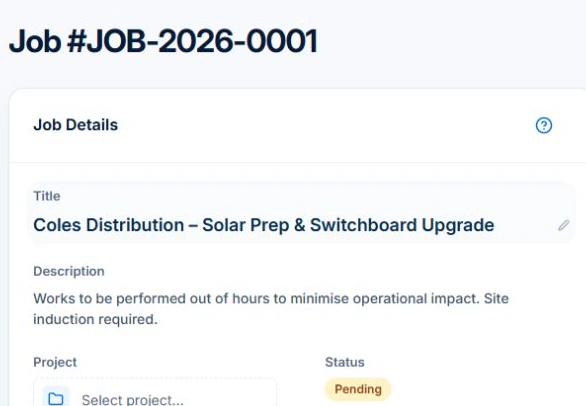
Open the accepted quote, select Convert, then choose Convert to Job and confirm. If a job already exists, select Go to Job. Check the pending job’s customer, site and scope before booking the work.

Use the shortlist guide to decide what to test, the checklist to run the same trial in each product, and the quote-to-invoice guide to practise the complete AxiomBlue workflow.

AxiomBlue · Pending job created from quote VFE-Q005
The demo job shows the switchboard-upgrade scope and Pending status after conversion.
Check the scope and pending status before assigning the job.

Follow the product steps

In Axiom Blue

These instructions open on our documentation site.

Understand the process

Practical guides