
Confirm readiness before reserving the return
Check that the required part is available, the customer can give access and the worker can see the first diagnosis. Record the expected duration for the return repair.
Check the rest of that plumber’s day
Preview the date and crew against the current calendar. Include travel and the effect on later stops before confirming a time with the customer.
Preview the repair after checking when the parts will arrive
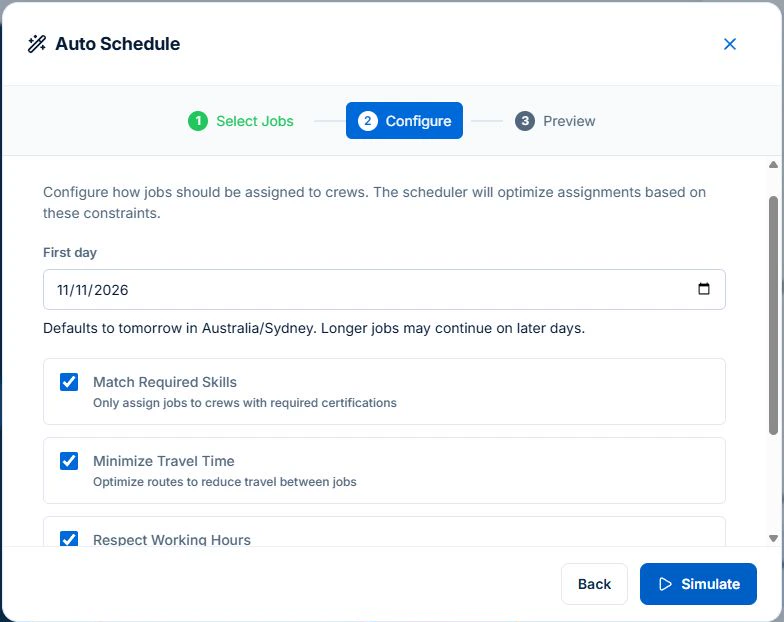
Keep the investigation and the return separate when each needs its own booking. Confirm when the part and site are available, then give the return a site and estimated duration. In Auto Schedule, select the unassigned job, set First day and simulate.
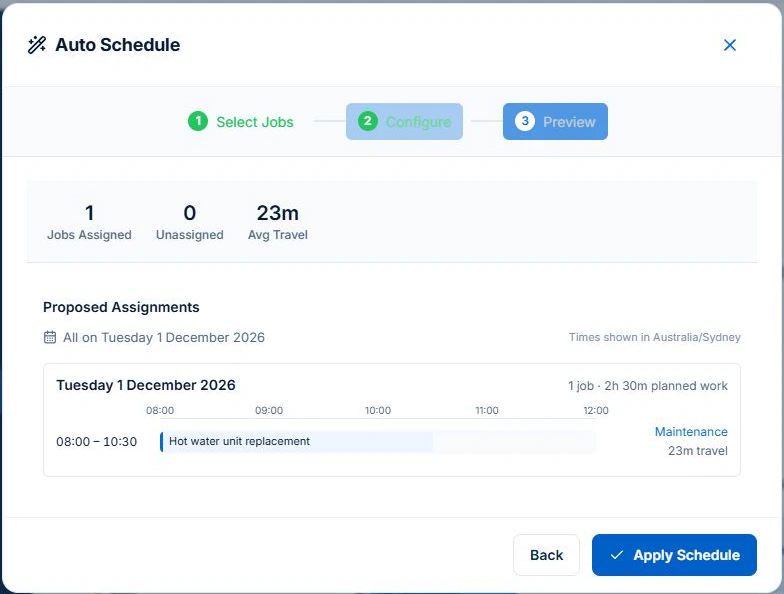
Read the actual proposed date and crew. The sample hot water replacement was proposed for the Maintenance crew on 1 December from 8:00 to 10:30 am. Check which selected jobs remain unassigned and confirm the part before applying or promising the return time.
Give investigation and repair their own readiness checks
An unresolved fault can need diagnosis before you know the repair duration. Record the estimate and uncertainty honestly. For a return visit, identify the required part and whether it has arrived. A supplier’s expected date should not silently become a customer appointment.
For a return needing a jetter, pump or inspection kit, follow the plumbing equipment record workflow to check the kit’s identity, service outcome and unresolved faults before the visit.
Test the new call-out against the work already promised
Illustrative day: two repairs are booked and a leaking tap enquiry arrives near the afternoon site. Check urgency, skill requirements and realistic travel before offering a time. Review whether moving the return repair would break its access window or leave another customer uninformed.
Read next Plumbing dispatch software: fit a call-out into today’s route →
Review the proposal before committing the day
AxiomBlue’s assisted scheduling uses recorded duration, bookings, working hours and travel to propose assignments. Professional adds crew skills and approved leave. Inspect the people, times, warnings and work not placed before applying; keep inputs current. Job readiness and customer arrangements still need your review. Individual scheduling is available on Free within limits and on Basic.
Before offering a call-out or return-visit time, inspect AxiomBlue’s job scheduling software to see how recorded duration, availability and travel become a proposal. Review parts readiness and the customer arrangement separately from the suggested slot.
Keep the return connected to the first visit
Use the same clear job reference or a linked handover in your records. The returning plumber needs the diagnosis, approved work, parts and unresolved tasks. Confirm any changed booking and check previous charges before billing. Scheduling alone does not send the customer a message or prove the repair is finished.
To check the wider handover from scheduling to recorded labour, parts and billing, inspect the plumbing software overview with its current demo repair. Review the missing-cost warning as well as the charge total before judging the workflow.
Common questions
Questions about this process
Should a return visit be booked before a part arrives?
You can plan provisionally, but label and review the uncertainty. Confirm readiness and the customer arrangement before treating it as a committed repair appointment.
Put it to work
Your practical checklist
- Record the diagnostic uncertainty and repair estimate.
- Confirm part readiness and customer access.
- Check the existing promises before fitting a call-out.
- Review suitable assignments and unplaced work.
- Hand over the diagnosis and previous billing.
See the records in Axiom Blue
Try the workflow with a familiar job.
Features and usage limits vary by plan. Review the tools relevant to your process before choosing your setup.