
Take the next building stage from site work to claim
Choose the decision you face today. Check the stage before booking labour, confirm changed scope before instructing the crew, or reconcile previous billing before the next claim.
Explore AxiomBlue for building & construction →Before booking site labour
Find the stage in the project and check what must be ready for the team to start. Match the site job, date and approved scope to that stage. Put the authorised contact where the crew can reach them.
Before making the claim
Review accepted changes and earlier claims against the contract. Use the construction guides below for a crew handover, a changed stage or the next progress bill.
Check the next stage against the agreed work
Apex’s Riverbend ticket APX-007 shows the roof-truss scope, its owner and work status. Check the ticket for readiness and use the contract record for the separate claim review.
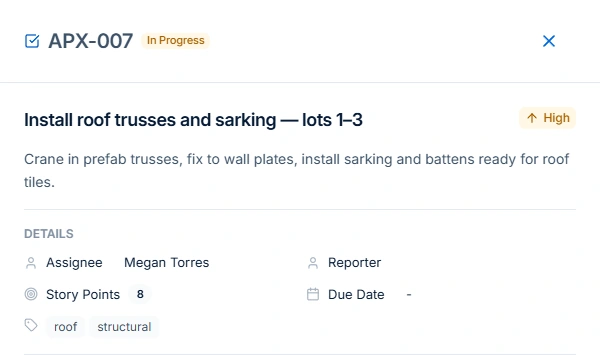
Open the job and compare the proposed stage with the accepted scope. Confirm the materials, access and approvals before assigning the work. If the customer changes a fixture, record the price and approval in Professional Variations. Then review the balance and previous claims in the web app. Base fixed-price claims are available on all plans within their limits. You need View Jobs and Create Invoices.
Choose a guide
- Choose software
- Plan the work
- Invoice the work
- Clients & sites
- Equipment records