
Get the next electrical job ready for the crew
Choose a guide for the task at hand. Fit a repair into the schedule, brief the electrician who is returning to site, or check the parts and labour before invoicing.
Explore AxiomBlue for electrical →When a fault call arrives mid-installation
Compare the repair location and likely duration with the electrical work already booked. Use the scheduling guide to see where it can fit and what the electrician will need on arrival.
When someone else returns
Give the second electrician the switchboard details, approved work and checks still outstanding. After the visit, reconcile labour, parts and extras before preparing the customer’s invoice.
Test where a repair fits in the day
The Volt Force Auto Schedule example shows the options for required skills, travel and working hours. Review those settings before relying on the proposed crew and dates.
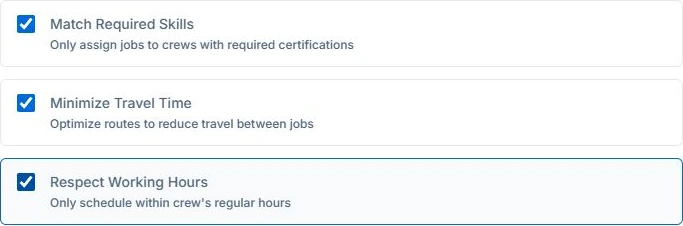
Open the Job Calendar and check the booked installation. Add the repair site and estimated duration to its job record. On Professional, add the relevant required skill if you use crew planning. Preview the proposal in Auto Schedule with View Schedule permission. Applying it requires Full Management. Confirm access and customer timing, and record any test or certificate handover on the job.
Choose a guide
- Choose software
- Plan the work
- Invoice the work
- Clients & sites
- Equipment records