
Trial the upgrade from both phones and desks
Prepare a circuit upgrade with one agreed scope and one reason to return. Have the office create the booking and ask the electrician to find the board and site instructions from the field.
Inspect what survives the handover
Send another worker back and ask what is complete, what checks remain and what parts were used. Compare how each app turns those records into the charge the customer expects.
Use one electrical job to test both handovers
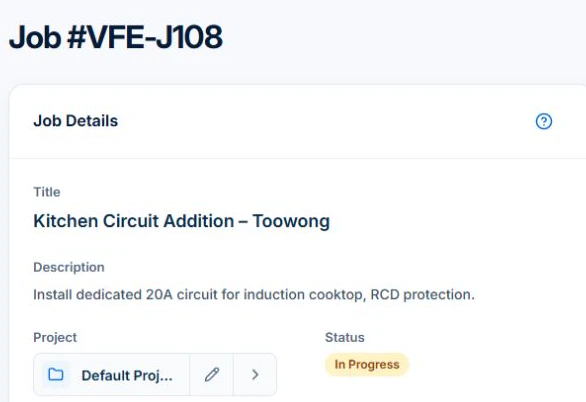
Start with a switchboard upgrade and a later kitchen-circuit addition. In AxiomBlue, check the site and scope on the quote, then convert the accepted quote to a job. Open Description and Tasks and check what an assigned worker can see. Record the approved circuit scope and reference the original job on any return visit.
Repeat the same handovers in every shortlisted app. Check the record the office will use to review the bill and where the relevant testing record can be found. Verify the certificate or register you actually need. Advanced crew skills, variation approvals and specialist trade registers require Professional.
Use an ordinary job with an awkward change
Illustrative test: quote a switchboard upgrade, then add an approved circuit and a return visit. Enter the same scope and quantities in each product. Check whether the accepted version remains clear when the addition is recorded. The software must help you distinguish the original contract, approved change and work still to do.
Check worker access and the document destination
Test the field account on the worker’s device: find the job, record time and materials, and add a photo where supported. Check how required test records, certificates and regulatory submissions fit your process.
Use the electrical client and site handover workflow to test whether the next electrician can identify the property, approval contact, installation and unfinished return work from the records they can access.
Make assignment and billing prove their connection
Test the crew or worker availability and required skills using maintained records. Inspect a proposal and any unplaced work before applying it. Then create a sample invoice from the agreed work and check whether the original price and approved extra are counted once. Licence validation and invoice review remain explicit responsibilities.
For a concrete product evaluation, inspect the electrical job management software demo and compare the same repair’s recorded time, electrical items and billing summary. Check the missing-cost warning as well as the total; the page explains individual versus Professional crew access.
Price the roles and required plan, then check the handover
Ask each shortlisted vendor for the plan and total cost for your actual office and field users, workload, billing interval and devices. Include tax basis, optional messaging, payment charges, training and exports. Keep a written result for each test: worked, needs a manual step, or unavailable. A feature-list tick is not a completed test.
AxiomBlue’s Free plan supports one user within usage limits and has no uploads. Basic adds uploads; Professional adds crew skills and leave, recurring job series, variations and project tools. Check the current pricing page for the team total. Try a required Professional process in the demo and confirm access before choosing a plan.
Common questions
Questions about this process
Does a compliance feature prove the product lodges every electrical certificate?
No. Verify the exact document, jurisdiction, authorised workflow and submission destination. Generic forms and stored files establish only what you have tested.
Put it to work
Your practical checklist
- Use the same upgrade and extra circuit in each system.
- Test the field role on the actual phone.
- Verify the required certificate process separately.
- Review a returned job and unplaced work.
- Compare the required team plan and export.
See the records in Axiom Blue
Try the workflow with a familiar job.
Features and usage limits vary by plan. Review the tools relevant to your process before choosing your setup.