
Prepare the technician for the unit they’re going to service
Start with the customer’s site, the unit reference and what happened last visit. Use the guides below to plan the technician’s time, record findings and prepare the bill.
Explore AxiomBlue for hvac & refrigeration →Before the technician arrives
Identify the site, unit and reported issue on the booking. Include the access instructions and the finding from the previous visit so the technician can prepare for the right equipment.
After service
Record the unit serviced, work performed and unresolved items. Choose the maintenance scheduling guide for the next visit or the invoicing guide to check labour and parts against the agreed scope.
Identify the unit before you assign the service
Arctic Climate’s ACS-J107 shows how the Job Details card keeps a named split-system service and its scope with the job. Add the unit identifier and access instructions for your own site.
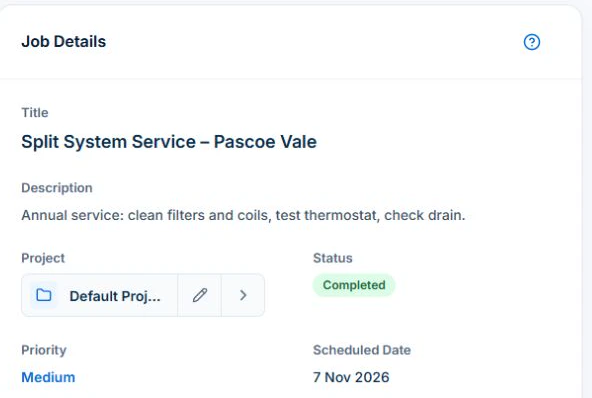
Check the customer, property and unit reference on the job. If two systems share a site, use a unique identifier in the job Description. Basic and Professional include the asset register for equipment identity and service references. Check the visit duration and site access before assigning it. After the visit, review recorded time and parts against the agreement before invoicing.
Choose a guide
- Choose software
- Plan the work
- Invoice the work
- Equipment records
- Review profitability