
Follow the money
Review aged balances, payment behaviour, revenue mix and gateway fees.
Business reports / AxiomBlue
Choose the question before choosing the report. Look at aged balances for unpaid invoices, recurring service health for missed work or crew activity to investigate how time was spent.
Review aged balances, payment behaviour, revenue mix and gateway fees.
Plan fit: Advanced financial and business reporting requires Professional. Report usefulness depends on current and complete source records. Compare plans →
A practical workflow / Example
The demo’s Aged Receivables report groups balances by age. Start with a band, then check the invoice and payment records for the balance you want to follow up.
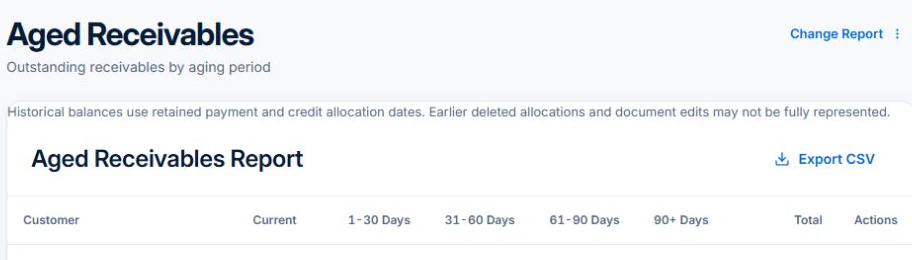
Use Accounts Receivable to review the invoice due date and recorded payments before following up.
For unpaid money, review aged balances. For a customer asking what was delivered, use Customer Work. For a gap in repeat visits, open Recurring Services Health. Professional reports let you narrow the period and inspect what needs attention.
Open a source invoice, visit or time entry behind an unexpected total. Check the period, customer and status before contacting anyone, revising a booking or raising a charge.
Pick one customer and a month you have already reconciled. Compare the work shown with the jobs you expected, then open the record behind one figure. This shows whether the report answers the question you get from that customer.
Review aged balances, payment behaviour, revenue mix and gateway fees.
Explore recurring-service health, cancellations and crew throughput.
Use retention and customer or sales dashboards to guide the next review.
Picture it in your business / Example
Start with one question—such as which balances need follow-up or how regular services are progressing—then open the relevant report and underlying records.
A practical starting point
Decide what business decision the report should support.
Apply the period and filters for that question.
Review the detail behind the result before acting.
Know what’s included
Advanced financial and business reporting requires Professional. Report usefulness depends on current and complete source records.
Compare plans, limits and pricing →Check the workflow in detail
Explore the detail
Availability varies with plan, permissions and enabled features. Check plan inclusions.
See how this fits: make it work your way →Before you get started
Have a specific workflow in mind? Talk it through with us.
Reports → Select a report · Financial, Customer and Sales dashboards. Available controls depend on your permissions and enabled features.
Advanced financial and business reporting requires Professional. Report usefulness depends on current and complete source records.
Try a familiar job, check the records and confirm the plan inclusions your team needs.
Keep the work connected
Considering a switch?
Use a familiar job to compare the way you work today with the way Axiom Blue handles it.
Check the quote, schedule, job record and invoice. Look for the details your team needs.
Compare usage limits, paid seats and specialist features. See plans and pricing →
Try your own quote on the free plan. Before moving existing records, ask us about your data and setup needs.
Make the next step a small one
You know where the friction is in your business. Open the demo and see how AxiomBlue handles it. Then start with your own quote on the free plan.
Free forever for one person. No credit card. Usage limits apply.
Try a quote like one you send every week. Check the detail your customer will see.
Explore a job, its crew, time and materials. Look for the information you usually chase.
Compare the features and limits you need. See plans and inclusions →