
Present the work clearly
Use quote and invoice layouts that support the information customers need.
Branded documents & templates / AxiomBlue
Set up the document or email once, then preview it with a sample record. Check that the customer will see the right scope, dates and amounts before using the template across your work.
Use quote and invoice layouts that support the information customers need.
Plan fit: Custom PDF and email templates require Professional. Core quotes and invoices are available on Basic with the standard document workflow. Compare plans →
A practical workflow / Example
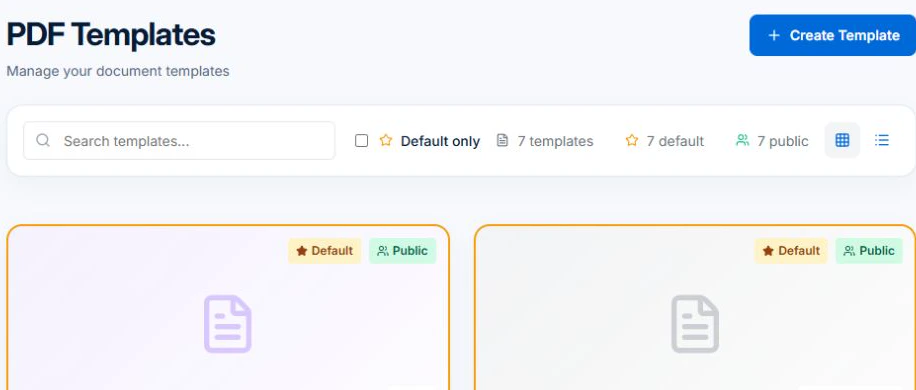
The demo’s PDF Templates screen shows the template list and search. Find the template for your document type before checking layout and fields with a sample record.
Check the customer-facing scope, totals and payment terms in the preview. Free and Basic use the standard document workflow within their applicable limits.
Put the standard introduction, terms or customer message in a reusable template. Leave job-specific scope, dates and amounts tied to the relevant record.
On Professional, choose a sample quote, invoice or email and inspect the rendered values. A saved email template supplies wording. Use a configured workflow when the message should go out automatically.
Use quote and invoice layouts that support the information customers need.
Configure reusable document branding and template content.
Keep email templates for the communication your team sends repeatedly.
Picture it in your business / Example
Set up the relevant templates, preview the content with a record and check the customer-facing result before using it.
A practical starting point
Open the relevant quote, invoice or email template.
Edit the layout or content for your business.
Check the output before sharing a live document.
Know what’s included
Custom PDF and email templates require Professional. Core quotes and invoices are available on Basic with the standard document workflow.
Compare plans, limits and pricing →Check the workflow in detail
Explore the detail
Availability varies with plan, permissions and enabled features. Check plan inclusions.
See how this fits: get paid & keep customers informed →Before you get started
Have a specific workflow in mind? Talk it through with us.
Settings → PDF Templates / Email Templates. Available controls depend on your permissions and enabled features.
Custom PDF and email templates require Professional. Core quotes and invoices are available on Basic with the standard document workflow.
Try a familiar job, check the records and confirm the plan inclusions your team needs.
Keep the work connected
Considering a switch?
Use a familiar job to compare the way you work today with the way Axiom Blue handles it.
Check the quote, schedule, job record and invoice. Look for the details your team needs.
Compare usage limits, paid seats and specialist features. See plans and pricing →
Try your own quote on the free plan. Before moving existing records, ask us about your data and setup needs.
Make the next step a small one
You know where the friction is in your business. Open the demo and see how AxiomBlue handles it. Then start with your own quote on the free plan.
Free forever for one person. No credit card. Usage limits apply.
Try a quote like one you send every week. Check the detail your customer will see.
Explore a job, its crew, time and materials. Look for the information you usually chase.
Compare the features and limits you need. See plans and inclusions →