
Keep the record together
Store documents and attach relevant files to the work.
Documents & questionnaires / AxiomBlue
Attach the relevant documents to the job so workers can find them on site. When you need the same answers from each customer, use a Professional questionnaire and review the response before the visit.
Store documents and attach relevant files to the work.
Plan fit: Basic adds file uploads, with plan storage limits. Professional adds questionnaires and custom PDF/email templates; appropriate permissions apply. Compare plans →
A practical workflow / Example
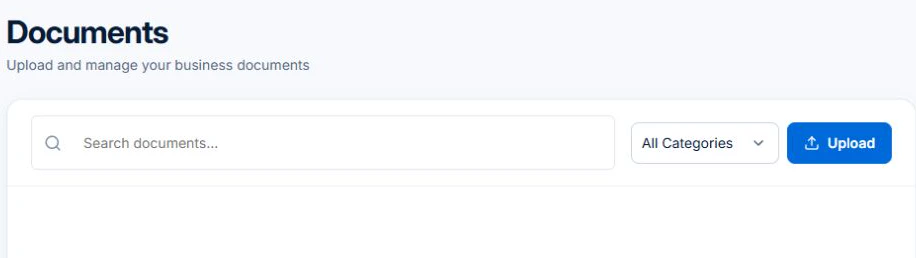
The demo’s Documents screen shows where business documents can be searched by category or uploaded. Open the job itself when a supporting file belongs with a particular visit.
For structured answers, go to Sales → All Leads → Options → Questionnaires. Share the questionnaire link and review the response on the lead. Keep job-specific files with the job for handover.
Attach the site document the worker needs to the job on a paid plan. Keep it with the relevant work so a return worker can identify the same instructions later.
For repeated questions, use a Professional questionnaire to request the details in a consistent form. Read the customer’s response before assigning work that depends on access, equipment or site readiness.
Ask the office to collect one access answer and attach the site plan. Have the assigned worker find both on the job. The test is whether they can prepare for the visit without calling the customer again.
Store documents and attach relevant files to the work.
Use questionnaires and their shared response views for structured information.
Business backup export provides CSV records; attachments are not included in that export.
Picture it in your business / Example
Use a questionnaire for the information you need, review the response and keep the relevant paperwork with the work.
A practical starting point
Use a document, job attachment or questionnaire.
Upload or edit the information, or share the response form.
Keep useful records available to the team.
Know what’s included
Basic adds file uploads, with plan storage limits. Professional adds questionnaires and custom PDF/email templates; appropriate permissions apply.
Compare plans, limits and pricing →Check the workflow in detail
Explore the detail
Availability varies with plan, permissions and enabled features. Check plan inclusions.
See how this fits: make it work your way →Before you get started
Have a specific workflow in mind? Talk it through with us.
Documents · Sales → Questionnaires · Open a job for attachments. Available controls depend on your permissions and enabled features.
Basic adds file uploads, with plan storage limits. Professional adds questionnaires and custom PDF/email templates; appropriate permissions apply.
Try a familiar job, check the records and confirm the plan inclusions your team needs.
Keep the work connected
Considering a switch?
Use a familiar job to compare the way you work today with the way Axiom Blue handles it.
Check the quote, schedule, job record and invoice. Look for the details your team needs.
Compare usage limits, paid seats and specialist features. See plans and pricing →
Try your own quote on the free plan. Before moving existing records, ask us about your data and setup needs.
Make the next step a small one
You know where the friction is in your business. Open the demo and see how AxiomBlue handles it. Then start with your own quote on the free plan.
Free forever for one person. No credit card. Usage limits apply.
Try a quote like one you send every week. Check the detail your customer will see.
Explore a job, its crew, time and materials. Look for the information you usually chase.
Compare the features and limits you need. See plans and inclusions →