Plumbing · Automation
How to Send "On My Way" Texts to Customers Automatically: A Plumber's Guide
"Sometime between 8 and 12" is the sentence customers hate most about hiring a plumber - and the reason they miss you when they duck out for milk at 10:40. AxiomBlue texts the customer the moment you start travelling to their job, automatically, so they know you're coming without anyone typing from the driver's seat.
Quick answerAn "on my way" text works best when it sends itself the moment travel starts - no typing from the driver's seat. AxiomBlue's Job On-the-Way SMS template does exactly that: start travel on the job and the workflow marks you as travelling and texts the customer automatically. Included on the Professional plan at $59 AUD per seat per month, with a free plan that has no time limit.
Every plumber knows the on-my-way text is worth sending - it is why customers rave about the businesses that do it. The problem has never been believing in it; it is doing it, every time, while juggling a callout list. The plumber is driving, the office does not know the exact minute the last job wrapped up, and so the text gets sent sometimes, by some people, when things are calm. AxiomBlue ties the message to the thing that always happens anyway - starting travel to the job - so "sometimes" becomes "every time".
- Fires the moment travel starts on the job - no separate step to remember
- Marks the plumber as travelling, so the office schedule shows it live
- Texts the customer a personalised SMS - plain text message, nothing for them to install
- Nobody types while driving - the workflow composes and sends the message
- A companion template texts the customer if the job before runs late
On-my-way texts in AxiomBlue: the key facts
The short, checkable version. Everything in this table is expanded further down the page.
| Key fact | AxiomBlue |
|---|---|
| Template | Job On-the-Way SMS — ready-made, switch on and go |
| Trigger | Travel starts on the job (one action in the mobile app) |
| What happens | Worker marked travelling on the schedule + customer texted, in one run |
| Channel | Plain SMS — customers install nothing |
| Running late | Job Running Late — Notify Customer texts the customer about the delay |
| Platform | Free native iPhone and Android apps, plus the full platform in any web browser |
| Setup | Visual editor, no code — typically live in under 15 minutes |
| Price | From $29 AUD per seat per month; automation on Professional at $59; free plan with no time limit |
Why is the "2-hour window" such a problem on plumbing callouts?
Because a window traps the customer at home and still manages to miss them. A plumbing callout is rarely a fixed appointment - the 8am blocked drain might take forty minutes or three hours, so the 10am customer gets told "between 10 and 12" and plans their whole morning around a doorbell. Then human nature does its work: at 10:50 they duck out for milk or the school run, the ute arrives at 10:55, and now you have a locked door, a wasted trip, and a customer who is somehow annoyed at you.
The on-my-way text dissolves the window at exactly the right moment. The customer does not need to know at 8am precisely when you are coming - nobody knows that. They need to know at the moment it becomes true: "the plumber is on the way now". A text at travel start gives them a real 15–30 minutes of warning, which is enough to get home from the shops, put the dog away, and unlock the side gate. The businesses that send it get remembered for it; the trick is sending it every single time, which is an automation problem, not a good-intentions problem.
How does the automatic on-my-way text run, step by step?
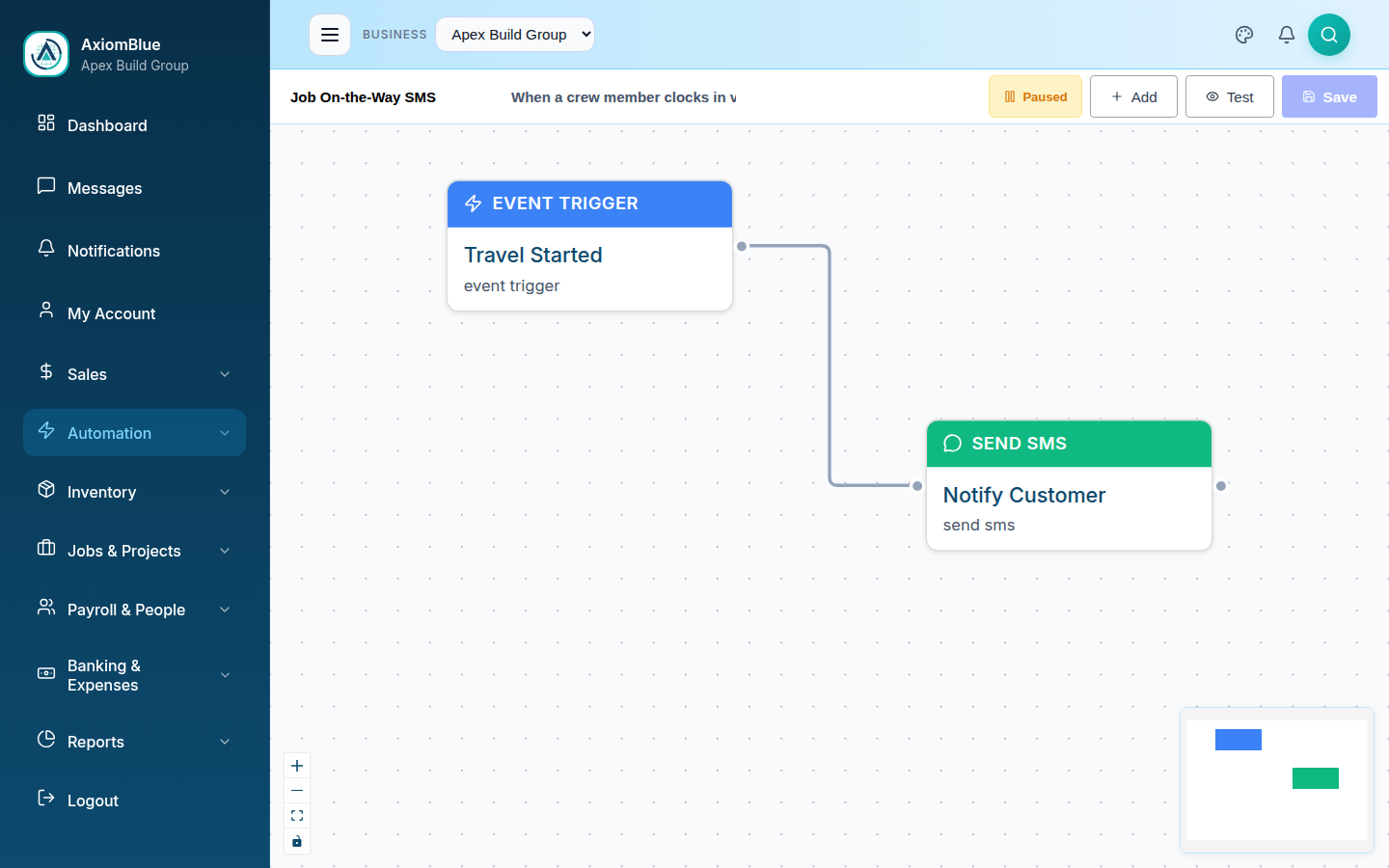
The workflow is a trigger and two actions. Here is exactly what AxiomBlue's Job On-the-Way SMS template does, in plain words:
- Trigger — travel starts on the job. The plumber starts travel on the job in the AxiomBlue mobile app - one action as they get in the ute, the same status they would set anyway. That event is the trigger; there is no separate "send the text" step to remember.
- Action — mark the worker travelling. The workflow updates the assignment so the schedule shows the plumber as travelling. The office sees it live: no radio call, no "where's Dave?" - the board answers the question.
- Action — text the customer. The customer on that job gets a personalised SMS - their name, your business name, and the news that you are on the way - pulled straight from the job record. The plumber's hands never leave the wheel.
One tap, three outcomes: the customer stops watching the driveway, the office board updates itself, and nobody texts while driving. The on-the-way message is part of a broader set of customer-communication workflows - the full picture is at automated customer notifications.
What should an on-my-way text say?
Who is coming, and that they are coming now - two facts, one short message. A good pattern: "Hi Sarah, this is Apex Plumbing - we're on our way to your job now." The customer's name and your business name fill in automatically from variables on the job record, so every message reads personally without anyone composing it in traffic.
Short beats clever here. The customer is a stranger expecting a stranger; the message's whole job is to say "the person about to knock on your door is the plumber you booked, and it's happening now". Naming your business does the trust work, the timing does the convenience work. Every word is editable in AxiomBlue's visual editor - some businesses add the plumber's first name, others a "please secure any pets" line - and a test mode lets you check the wording before a real customer sees it.
What about the days when the job before blows out?
A second template, Job Running Late — Notify Customer, covers the other half of the communication problem. When the job is updated as running late, the workflow texts the waiting customer that the crew is delayed. The customer hears it from you, in advance - instead of stewing by the window and then ringing the office at 12:05 to ask where everyone is.
Plumbing is the trade where this matters most, because the schedule genuinely cannot be promised. A burst pipe does not care about your 10am; the blocked sewer that "should be an hour" sometimes is not. Customers forgive delays remarkably well when they are told about them - what they do not forgive is silence. Between the on-my-way text and the running-late text, the customer always knows the true state of their booking, and the office phone stops ringing with the one question that never had a good answer: "where are they?"
Does the plumber have to do anything extra?
No - starting travel on the job is the entire action, and it is the status update a well-run business wants recorded anyway. That is the design point worth pausing on: every manual on-my-way system quietly asks someone to send a text from the driver's seat, and that is exactly where good habits go to die - and where texting is illegal. An automation that composes and sends the message the instant travel starts removes the temptation entirely. The plumber taps once before pulling out of the driveway; everything else happens on the server.
It also means the system does not depend on who is driving. The apprentice on their first solo callout sends the same professional, correctly-worded message as the owner, because neither of them writes it. New starters need zero training beyond "start travel when you leave" - and because the full platform runs in any web browser too, the office can watch the day's travel statuses on the same live schedule without installing a thing.
Manual texting vs AxiomBlue vs a standalone notification app
Three honest ways to tell customers you are coming, side by side. The deciding row is the first one: a message that depends on someone remembering it gets sent on the quiet days and skipped on the busy ones - and the busy days are when the customer most needs it.
| Texting manually | AxiomBlue | Standalone notification app | |
|---|---|---|---|
| Message goes out | When someone remembers — often from the driver's seat | Every time travel starts, automatically | Automatically — for jobs someone typed into it |
| Knows the job and customer | Yes — in the plumber's head | Yes — reads the job record directly, name and mobile included | No — runs on its own copy of your bookings, entered twice |
| Office visibility | None — the office finds out if they ask | Worker marked travelling on the live schedule at the same moment | Separate dashboard, separate login |
| Running-late messages | Ad hoc, usually after the customer rings | Job Running Late template texts the customer when the job is flagged | Varies — often reminders only |
| Extra subscription | None | None — part of the job platform you already run | Its own monthly fee, on top of your job software |
What do automatic on-my-way texts cost?
On-my-way automation is included in AxiomBlue's Professional plan at $59 AUD per seat per month; plans start at $29 AUD per seat per month for core job management, quoting, and invoicing. Professional's price covers the whole automation engine - the running-late template, the evening-before job reminders, and 30+ other templates, with the full catalogue described at workflow automation software for Australian businesses. There is a free plan with no time limit and no credit card required - long enough to run a real week of callouts with the texts on. The return is hard to miss: fewer locked doors, fewer "where are you?" calls to the office, and the kind of communication customers mention in Google reviews.
On-My-Way Texts - Common Questions
The text is tied to the moment travel starts, so it cannot be forgotten. In AxiomBlue, when the plumber starts travel on the job, the Job On-the-Way SMS template fires: it marks the worker as travelling on the schedule and sends the customer an SMS that you are on the way. One action from the plumber, and the customer, the office schedule, and the message all update together.
No. Starting travel on the job in the AxiomBlue mobile app is the whole action - the workflow composes and sends the customer's text itself, with the customer's name and your business name filled in from the job record. That matters for more than convenience: the alternative is a plumber thumbing out a text from the driver's seat, and an automation that removes texting-while-driving is worth having on safety grounds alone.
Who is coming and that they are on the way now - short and concrete. A good pattern: a greeting with the customer's name and a line that your business is on the way to their job. The customer's name and your business name fill in automatically from variables, and every word is editable in AxiomBlue's visual editor, so you can add your own touch - a photo of the front of the van is not needed when the text carries your business name.
A second template, Job Running Late - Notify Customer, covers it. When the job is updated as running late, the workflow texts the customer that the crew is delayed - so the person waiting at home hears it from you before they ring the office to ask. Between the two messages, the customer knows when you are coming and knows when you are held up, which is most of what good communication on a callout amounts to.
No. The on-my-way message arrives as an ordinary SMS to the mobile number on the customer's record in AxiomBlue - nothing to install, no account, no link to click. Every customer with a mobile phone can receive it, which is exactly what you want when the recipient is a stranger whose hot water died this morning.
Yes - AxiomBlue has free native apps for iPhone and Android covering the field workflow: today's schedule and job details, starting travel, clock on and off with GPS, photos and documents to the job record, materials, quoting, and on-site invoicing. The full platform also runs in any web browser, so the office sees the same live schedule - including who is travelling - without installing anything.
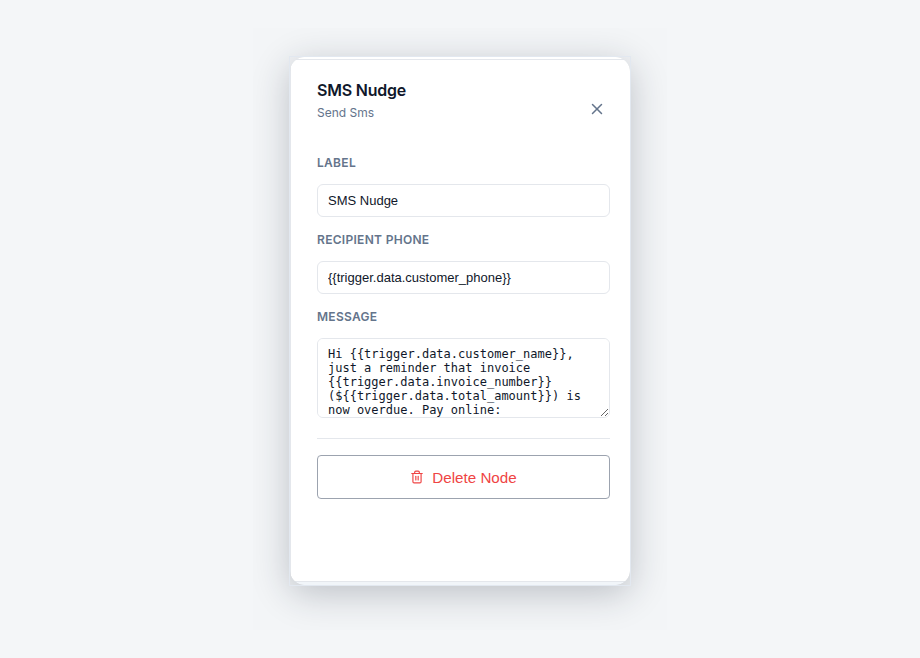
Yes - the workflow opens in AxiomBlue's visual editor as connected nodes, and the SMS node holds the message text with variables for the customer's name and your business name. There is no code; you edit the message the same way you would type a text. A test mode lets you check the result before any real customer receives one, and the execution history shows every send.
On-my-way automation is included in AxiomBlue's Professional plan at $59 AUD per seat per month, alongside 30+ other automation templates; plans start at $29 AUD per seat per month. There is a free plan with no time limit and no credit card required, so you can run a real week of callouts with the texts switched on and hear what customers say about them.
Be the Plumber Whose Customers Never Have to Wonder
Switch on the Job On-the-Way SMS and every customer gets a text the moment you start driving - no windows, no waiting by the door, no typing at the wheel. Start free today.
No credit card required • Free plan, no time limit • Cancel anytime