Software for Painting & decorating businesses

Painting jobs planned from a room-by-room scope.

AxiomBlue helps painters group quotes by room or area, estimate paint quantities with the coverage calculator and schedule the work. Keep preparation, finish requirements, time and materials with the job. Professional adds crew planning and variation approvals when the customer adds another room or changes the scope.

Web, iOS & Android · Free, Basic and Professional plans

A practical example / Painting & Decorating

A repaint quote gains another room.

  1. 01

    Define the work

    Separate the quoted areas and describe preparation and finish requirements.

  2. 02

    Estimate materials

    Use the paint coverage calculator with your measurements and coverage assumptions.

  3. 03

    Plan the crew

    Schedule the visits and keep site details with the job.

  4. 04

    Agree the change

    Use a Professional variation for the additional room and review billing.

Illustrative workflow. Review your setup, permissions and plan inclusions.

AxiomBlue · Quoting
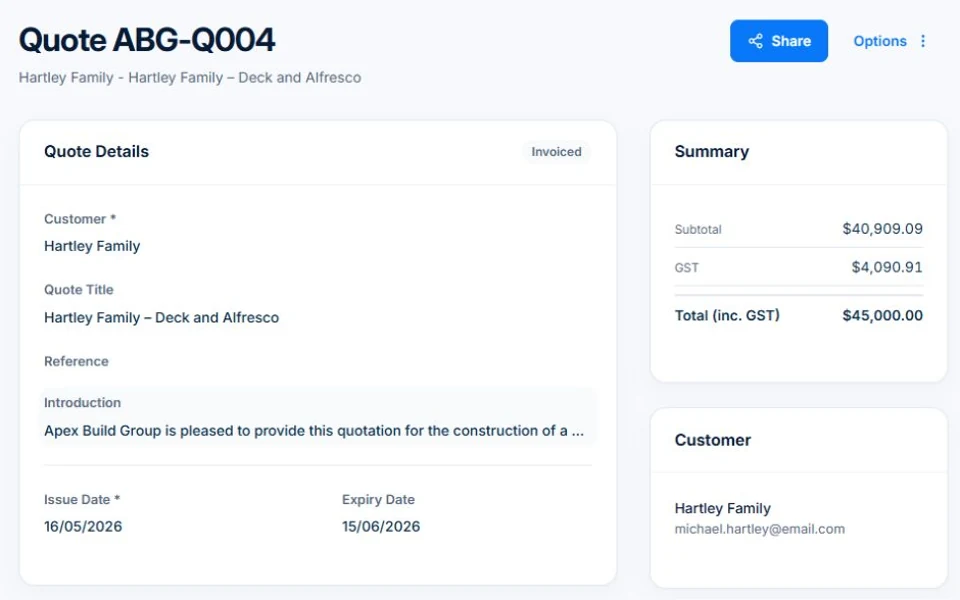
Use quote sections and line items to make the scope and price clear.
Use quote sections and line items to make the scope and price clear. Public demo · sample data

Screens are from the public demo and may show another trade’s sample business.

The tools behind the working day

Start with the part
you usually have to chase.

01 / Quoting

Give the customer a scope they can understand.

Use quote sections and line items to describe the work. The paint coverage calculator uses your dimensions, openings, coats and coverage rate; review the estimate against the actual surface and product.

Explore quoting →

Core quoting is included in Basic. The free plan has usage limits. Custom PDF templates and workflow follow-ups require Professional.

A closer look / Quoting

  • Products and services price book
  • Reusable quote assemblies
  • Quote templates
  • Grouped scope and line items
  • GST, discounts and expiry dates
See how it works →

02 / Delivery

Keep the next visit clear for the crew.

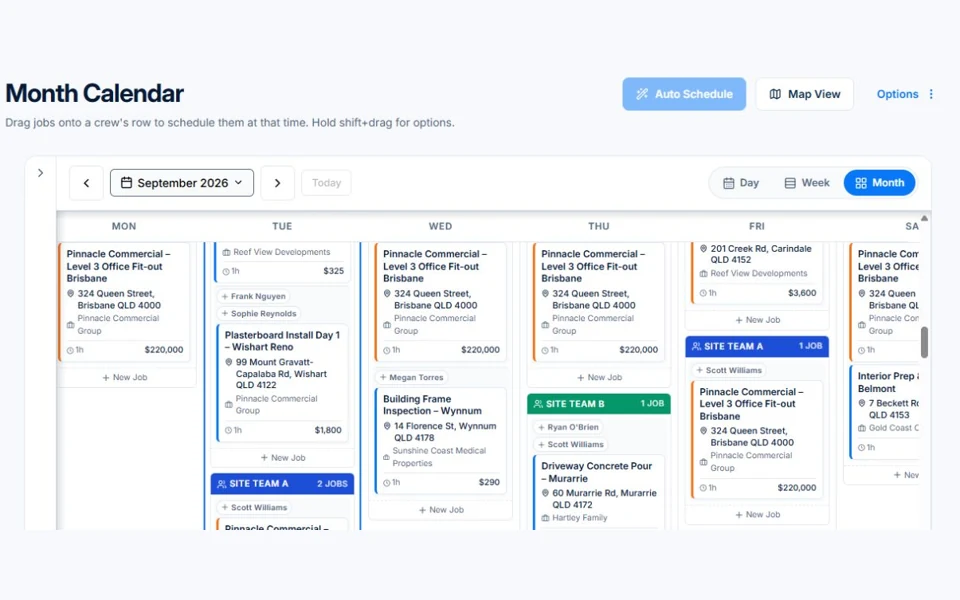
Use the shared calendar to assign work and job records to retain the site detail. Record time and materials as the work progresses, so they can be reviewed alongside the original estimate.

Explore crew scheduling →

Free and Basic include the job calendar and assisted scheduling for individual people. Professional adds crews, skills, leave and recurring job series. Free usage limits apply.

AxiomBlue · Crew calendar
Public Axiom Blue demo: Crew calendar.
Explore the records behind this workflow in the live demo. Public demo · sample data

03 / Scope changes

Another room deserves an agreed price.

Keep additions and approvals in Professional variations. Custom fields can give business-specific details a consistent place on supported records when a standard note is not enough.

Explore variations & progress billing →

Variation tracking and approvals require Professional. Check the job billing method before preparing a progress claim.

A closer look / Variations & progress billing

  • Contract variations
  • Variation approvals
  • Revised contract value
  • Progress claims against fixed-price work
  • Retention held and release for configured contracts
See how it works →

Before you price the next contract

Is each contract actually making money?

On a fixed-price repaint, underestimated prep, paint bought on the best-case coverage, rain days and extras agreed on site all come out of the margin. See a worked job, the ATO benchmarks and the weekly check that catches a leaking job while it is still running.

Worked examples are illustrative. Applicable ATO expense benchmarks compare costs with turnover; they do not determine profit or owner pay.

Is a painting business profitable? →

Before you decide

Questions for
painting & decorating businesses.

Is a paint calculator included?

The verified materials calculator includes paint coverage using dimensions, openings, coats and coverage assumptions. Results are estimates to review, not a guarantee of the exact product quantity needed.

Can I quote different areas separately?

Yes. Quote sections and line items can describe different areas and work. Check the generated quote to make sure the scope is clear to your customer.

Can I keep colour and finish details?

Use descriptions and job notes for relevant details. Professional custom fields provide structured fields on supported record types; there is no claim here of a dedicated colour-specification module.

Considering a switch?

Check the fit before
moving your business.

Use a familiar job to compare the way you work today with the way Axiom Blue handles it.

  1. 1. Follow a job in the demo

    Check the quote, schedule, job record and invoice. Look for the details your team needs.

  2. 2. Check your plan and team cost

    Compare usage limits, paid seats and specialist features. See plans and pricing →

  3. 3. Confirm your move

    Try your own quote on the free plan. Before moving existing records, ask us about your data and setup needs.

Put it to a practical test

Bring the job
you know best.

Use these starting points in the public demo. Then try your own quote with a free account.

Free plan has usage limits. No time limit. No credit card.

  1. 01

    Inspect quote sections and line items.

  2. 02

    Try the paint calculator with a familiar room.

  3. 03

    Review scheduling and the variation workflow.