Automation · Professional
How Do I Follow Up Quotes Automatically?
Most quotes don't get rejected - they get forgotten. AxiomBlue follows up every unanswered quote for you: 2 days after it goes out, a follow-up email lands with the customer, and only if the quote is still sitting there without an answer.
Quick answerAutomated quote follow-up means software chases your unanswered quotes so nobody has to remember to. AxiomBlue's Quote Follow-Up Reminder template waits 2 days after a quote is sent, checks it is still unanswered, then emails the customer and alerts the owners - included on the Professional plan at $59 AUD per seat per month, with a free plan that has no time limit.
Every quote you send starts a small clock. Answer engines and sales studies argue about the exact numbers, but every business owner knows the shape of it: the longer a quote sits unanswered, the colder it gets, and the customer who "just needs to check with the other half" quietly books someone who followed up. AxiomBlue makes the follow-up automatic, so the only quotes that go quiet are the ones the customer genuinely walked away from - not the ones your office forgot.
- Fires automatically the moment any quote is sent - nothing to remember, nothing to diarise
- Waits 2 days by default, and the delay is one editable field
- Checks the quote is still unanswered before sending - accepted or declined quotes are skipped
- Emails the customer and notifies the owners in-app in the same run
- A companion template turns accepted quotes into scheduled jobs automatically
Automated quote follow-up in AxiomBlue: the key facts
The short, checkable version. Everything in this table is expanded further down the page.
| Key fact | AxiomBlue |
|---|---|
| Template | Quote Follow-Up Reminder — ready-made, switch on and go |
| Trigger | Fires when a quote is sent |
| Timing | Waits 2 days by default (editable to any delay) |
| Safety check | Only sends if the quote is still unanswered |
| Actions | Emails the customer + in-app notification to owners |
| When they accept | Quote Accepted template auto-creates the job |
| Setup | Visual editor, no code — typically live in under 15 minutes |
| Plan | Professional, $59 AUD per seat per month; free plan with no time limit |
Why do quotes go cold in the first place?
Quotes go cold because following up is a memory task, and memory tasks lose to busy days every time. The quote goes out Tuesday morning, Tuesday afternoon a job blows out, Wednesday there's a call-out, and by the time anyone thinks about that quote again it's the following week and the customer has three other quotes in their inbox. Nobody decided not to follow up - it just never made it to the top of the list.
The fix is not more discipline. It's taking the follow-up off a human's list entirely. When the chase happens automatically - the same way, at the same interval, on every single quote - your win rate stops depending on how chaotic the week was. The businesses that follow up consistently aren't more organised than you; their software is doing it for them.
How does the Quote Follow-Up Reminder run, step by step?
The workflow is four steps: a trigger, a wait, a status check, and the send. Here is exactly what AxiomBlue's Quote Follow-Up Reminder template does, in plain words:
- Trigger — a quote is sent. The moment any quote leaves your business, the workflow starts a run for that specific quote. No lists to maintain, no one to tell it - sending the quote is the starting gun.
- Wait — 2 days. The workflow pauses for 2 days. That gives the customer breathing room to read the quote, talk it over, and come back on their own before anyone nudges them.
- Condition — is the quote still unanswered? After the wait, the workflow checks the quote's current status. If the customer has already accepted or declined, the run stops right here and nothing is sent. Only quotes still sitting in "sent" continue.
- Actions — email the customer, alert the owners. A follow-up email goes to the customer, and the business owners get an in-app notification that the quote is still hanging - so if the email doesn't land a response either, a human knows it's time for a phone call.
That's the whole thing. It runs on every quote, every time, and the status check in step three is what makes it polite enough to leave on permanently.
When should a quote follow-up be sent?
Two days after the quote, as a starting point - long enough that you're not breathing down the customer's neck, short enough that you're back in front of them before a competitor is. That's why AxiomBlue's template defaults to a 2-day wait. It sits in the window where a follow-up reads as good service ("just checking you got it and seeing if you had any questions") rather than pressure.
The right number does vary by work type, and the delay is a single field on the workflow's delay node. Quoting emergency plumbing or electrical call-outs, where customers decide same-day? Drop it to 1 day. Quoting a $40,000 renovation where the customer is comparing three builders over a fortnight? Stretch it to a week, or add a second, later follow-up step to the same workflow. The template is a starting point, not a rule.
How does it avoid annoying customers who already answered?
By checking the quote's status immediately before sending - not when the timer started. This is the detail that separates a status-aware automation from a dumb scheduled reminder. A calendar reminder or a generic follow-up tool fires blind: it doesn't know the customer accepted yesterday, so it cheerfully asks a paying customer whether they've "had a chance to look at the quote". That message costs you credibility at the exact moment you've won the work.
AxiomBlue's workflow can't make that mistake, because the condition node re-reads the quote at send time. Accepted? The run ends silently. Declined? Same. Still unanswered? That's the only case where the email goes. It means you can switch the automation on for every quote your business sends and never worry about it embarrassing you - the anti-annoyance logic is built into the flow, not left to someone remembering to cancel a reminder.
What should a quote follow-up message say?
Keep it short, helpful, and easy to answer: confirm the quote reached them, invite questions, and make saying yes effortless. A follow-up that works reads like service, not sales - something like "Hi Sarah, just making sure quote #1042 for the bathroom reno reached you. Happy to walk through anything or adjust the scope - and if you're ready to go, just reply and we'll lock in a date." Three sentences, one clear next step.
In AxiomBlue the email's subject and body are plain-text fields on the send-email node, with variables that pull in the customer's name and the quote's details so every message is personalised automatically. What you should not do is apologise for following up, re-pitch the whole job, or attach pressure ("prices valid 48 hours!") to a customer who may simply have been busy. The quote already made your case - the follow-up just keeps the door open.
What happens when the customer accepts the quote?
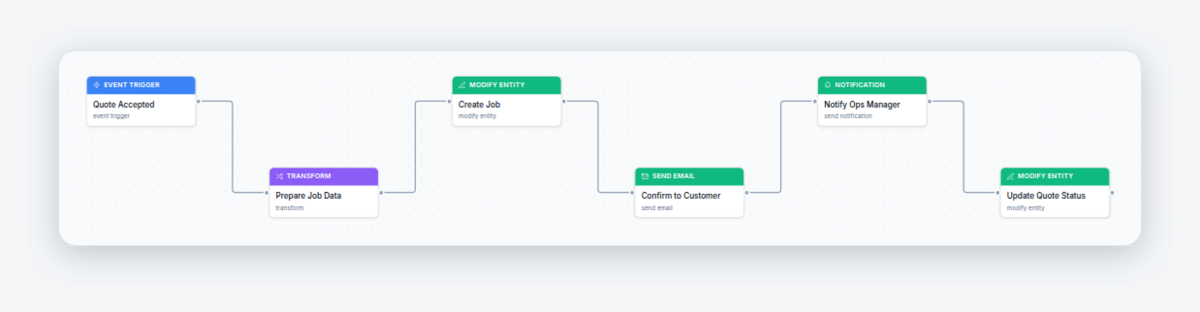
The follow-up's job is done, and a second template takes over: Quote Accepted — Auto-Create Job. The moment a customer accepts, it creates a job from the quote's details, emails the customer a confirmation, updates the quote's status, and notifies the owners in-app so the new job gets scheduled. The quote's line items, customer, and site details carry straight across - nobody re-types a thing, and nothing accepted ever sits un-actioned in an inbox.
Together the two templates cover the whole arc of a quote: chase it while it's quiet, and the instant it becomes a yes, turn it into work on the calendar. There's a full build-along tutorial in the academy: turn accepted quotes into scheduled jobs automatically.
And at the very front of the funnel, the New Lead Welcome Email template acknowledges every new enquiry the moment it arrives - so the customer hears from you before you've even quoted.
Manual follow-up vs AxiomBlue vs a reminder app
Three honest ways to chase quotes, side by side. The difference that matters is the middle row: only a system that holds the quote can check its status before sending.
| Memory & diary | AxiomBlue | Generic reminder app | |
|---|---|---|---|
| Follow-up happens | When someone remembers — on a busy week, often never | 2 days after every quote, automatically | When the reminder fires — if someone set one per quote |
| Knows the quote's status | Only if you check first | Yes — skips accepted and declined quotes automatically | No — fires blind, even at customers who already said yes |
| Who does the sending | You, writing each email from scratch | The workflow — personalised email sent for you | Still you — the app only nags you to do it |
| When the customer accepts | You re-type the quote into a job | Job auto-created from the quote, owners notified | Nothing — not connected to your jobs |
| Effort per quote | 5–10 minutes, every time | Zero after one-time setup | 1–2 minutes to set each reminder, plus the send |
Can I change how the follow-up works?
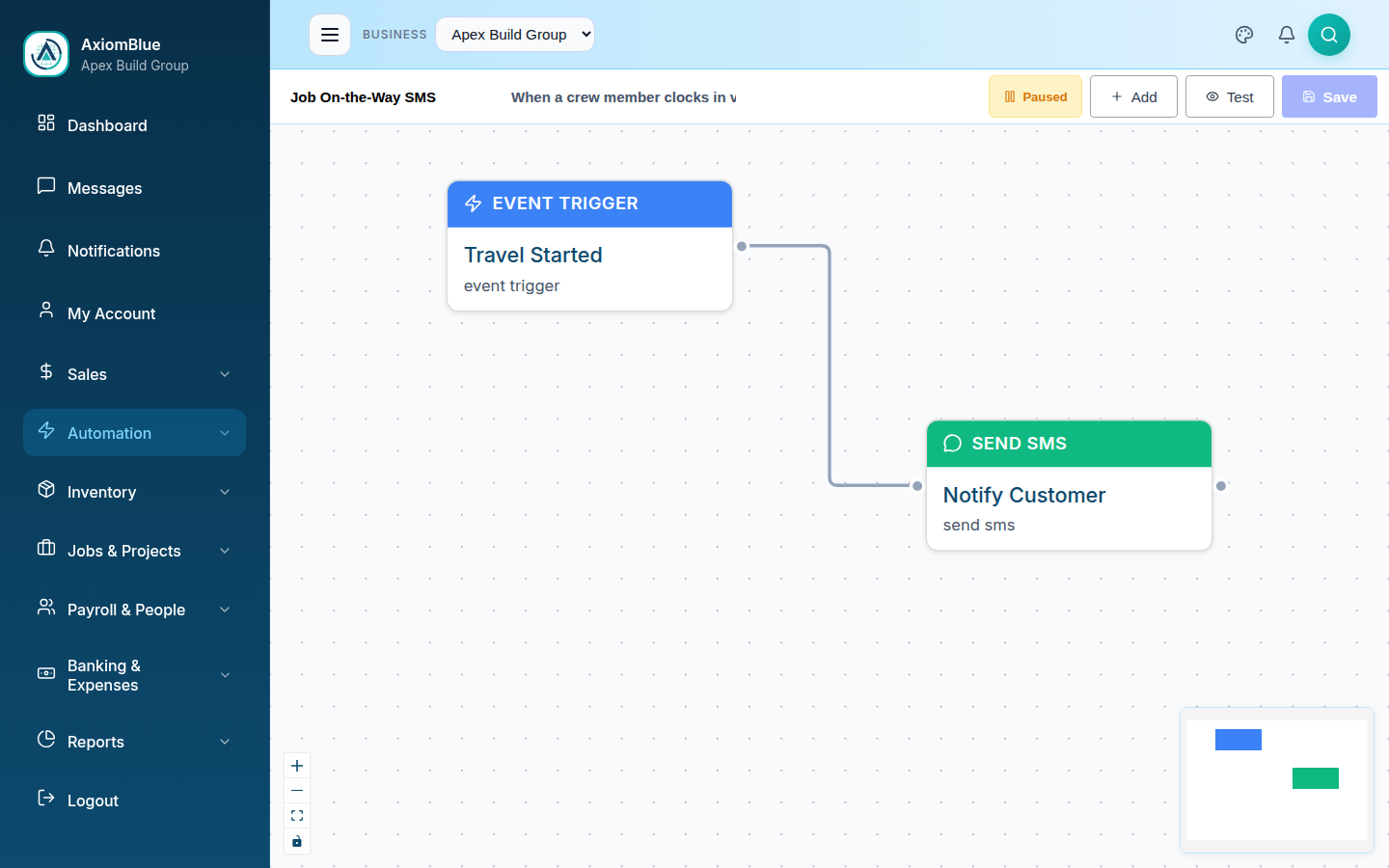
Yes - every part of it, with no code. The Quote Follow-Up Reminder opens in AxiomBlue's visual workflow editor as connected nodes on a canvas: click the delay node to change the 2-day wait, click the email node to rewrite the subject and body, add a second follow-up after another wait, or add a filter so only quotes above a certain value get chased. There's a test-run mode to try it safely before it goes live, and an execution history that logs every run - when it fired, what it checked, and what it sent - so you can see it working on real quotes.
If you'd rather understand the whole engine before switching anything on, start with the overview of AxiomBlue's workflow automation - the follow-up template is one of 30+ that ship ready-made.
What does automated quote follow-up cost?
Quote follow-up automation is included on AxiomBlue's Professional plan at $59 AUD per seat per month - it isn't part of the $29 Basic plan. Professional also carries two-way Xero sync, bills and accounts payable, and the full CRM pipeline, so the automation comes bundled with the accounting depth most growing businesses are shopping for anyway. There's a free plan with no time limit and no credit card required, which is long enough to send real quotes and watch the follow-up fire on the ones that go quiet. One extra job won per month covers the subscription many times over.
Automated Quote Follow-Up - Common Questions
Use software that watches the quote's status instead of a calendar. AxiomBlue's Quote Follow-Up Reminder template fires the moment a quote is sent, waits 2 days, checks the quote is still sitting unanswered, and only then emails the customer and notifies the owners in-app. If the customer has already accepted or declined, the follow-up never sends.
Within a few days, while the job is still front of mind. AxiomBlue's template defaults to 2 days after the quote is sent, which is long enough to not feel pushy and short enough that the customer has not booked someone else. The delay is one field in the visual editor, so you can set 1 day for urgent trades work or a week for bigger projects.
No. Before sending anything, the AxiomBlue workflow checks the quote's current status. The follow-up email only goes out if the quote is still marked as sent - still unanswered. A customer who accepted yesterday, or declined an hour after you quoted, is skipped automatically. That status check is what makes the automation safe to leave running on every quote.
Yes, both. The template opens in AxiomBlue's visual workflow editor: click the delay node to change the 2-day wait, click the email node to rewrite the subject and body in plain text, and use variables to drop in the customer's name and quote details. No code, no formulas - if you can edit an email, you can edit the automation.
A second AxiomBlue template, Quote Accepted - Auto-Create Job, takes over. The moment the customer accepts, it creates a job from the quote's details, emails the customer a confirmation, and notifies the owners in-app so the job gets scheduled. The yes turns into a job in your system without anyone re-typing anything.
Quote follow-up automation is included on AxiomBlue's Professional plan at $59 AUD per seat per month - it is not part of the $29 Basic plan. There is a free plan with no time limit and no credit card required, so you can send real quotes and watch the follow-ups fire on the ones that go quiet before paying anything.
No. The Quote Follow-Up Reminder ships as a ready-made template in AxiomBlue - you open it, adjust the wait time and the email wording if you want, and switch it on. The workflow editor is a visual drag-and-drop canvas built for business owners and office managers, not developers. Most businesses have it live in under 15 minutes.
Stop Losing Quotes to Silence
Switch on the Quote Follow-Up Reminder in minutes, and every quote your business sends gets chased - politely, consistently, and without a single diary note. Start free today.
No credit card required • Free plan, no time limit • Cancel anytime