
Plan preparation and return days in AxiomBlue
- In AxiomBlue Job Details, use Description/Tasks for rooms, preparation, finish reference and access limits. Set Estimated Duration for the work; calculate surface readiness from product instructions and actual conditions outside the scheduler.
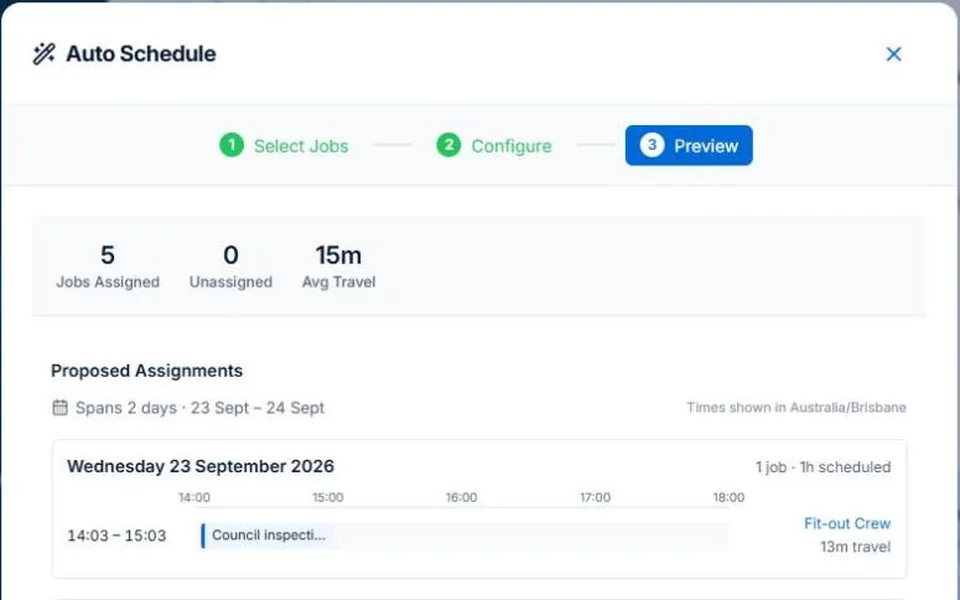
- Use Auto Schedule to preview available people and times around the occupied room and return. Inspect travel and jobs left without a place, and review each affected day before applying the change.
- Check the revised job from the painter’s account, confirm the client’s access window and update the current instructions. Record actual hours and paint on the job; keep an approved added area in Professional Variations rather than treating a moved day as extra scope.
Make the preparation and access assumptions visible
Set out the rooms or areas, protection, repairs and agreed finish. Confirm when the customer can release each area. Follow the relevant manufacturer and safe-work guidance when deciding readiness for another stage. Do not treat a software duration as a coating or drying recommendation.
Plan the next stage around readiness, not just elapsed time
Illustrative case: two rooms are booked, but one remains occupied on the preparation day. Decide whether the other room can proceed and what needs a return. Check the extra travel and crew availability before shifting work. Keep any commercial change separate from merely rearranging the day.
Review the proposal before committing the day
AxiomBlue’s assisted scheduling uses recorded duration, bookings, working hours and travel to propose assignments. Professional adds crew skills and approved leave. Inspect the people, times, warnings and work not placed before applying; keep inputs current. Job readiness and customer arrangements still need your review. Individual scheduling is available on Free within limits and on Basic.
Give the replacement painter the current specification
Put the current surfaces, preparation, selected colour reference and outstanding tasks with the job. Confirm revised access with the client and explain the change to the crew. At completion, review agreed extras and time before billing; extra recorded hours alone do not increase a fixed-price quote.
Common questions
Questions about this process
Can the scheduler decide when a coating is ready?
No. Check the product instructions, conditions and site judgement separately. Scheduling uses recorded work durations and availability; it does not independently assess surface readiness.
Put it to work
Your practical checklist
- Record preparation and return stages realistically.
- Confirm access to each area.
- Check readiness against the work and product instructions.
- Review crew time and extra travel after a change.
- Hand over the current specification and unfinished tasks.
See the records in Axiom Blue
Try the workflow with a familiar job.
Features and usage limits vary by plan. Review the tools relevant to your process before choosing your setup.