Lead to Invoice: Landscaping Operations
The Complete Landscape Company Workflow
Most landscaping businesses run their workflow across multiple disconnected tools. One for quoting, another for scheduling, a spreadsheet for tracking, a separate accounting package. When steps live in different systems, jobs fall through the cracks. AxiomBlue connects the entire workflow in one platform, from first enquiry to payment collected.
Quick answerA landscape company workflow runs from enquiry to site visit, quote, approval, scheduling, job completion, invoice, and payment. Problems happen in the gaps between steps, usually because each lives in a different tool. Running the whole sequence in one platform such as AxiomBlue means each step triggers the next automatically and nothing falls through the cracks.
A landscaping company's workflow is straightforward in principle: get an enquiry, visit the site, quote the job, get approval, schedule the crew, do the work, invoice the client, and collect payment. In practice, the gaps between those steps are where most of the operational problems live. A quote that doesn't automatically become a job. A job that doesn't trigger an invoice. A payment that nobody follows up.
AxiomBlue is built so each step flows directly into the next. When a client accepts a quote, it converts to a job in one click, no re-entering data. The job goes on the scheduling calendar. The assigned crew see it on their phones. When it's marked complete, you raise the invoice right there from the job record. Payment reminders go out automatically. The whole workflow runs in one platform, and every step is visible in one place.
- Enquiry to quote to job: all in the same system, no data re-entry
- Scheduling calendar with crew mobile app for job dispatch
- Completion-to-invoice in one click from the job record
- Automated payment reminders for outstanding invoices
- Full job status visibility: every job tracked from quote to payment
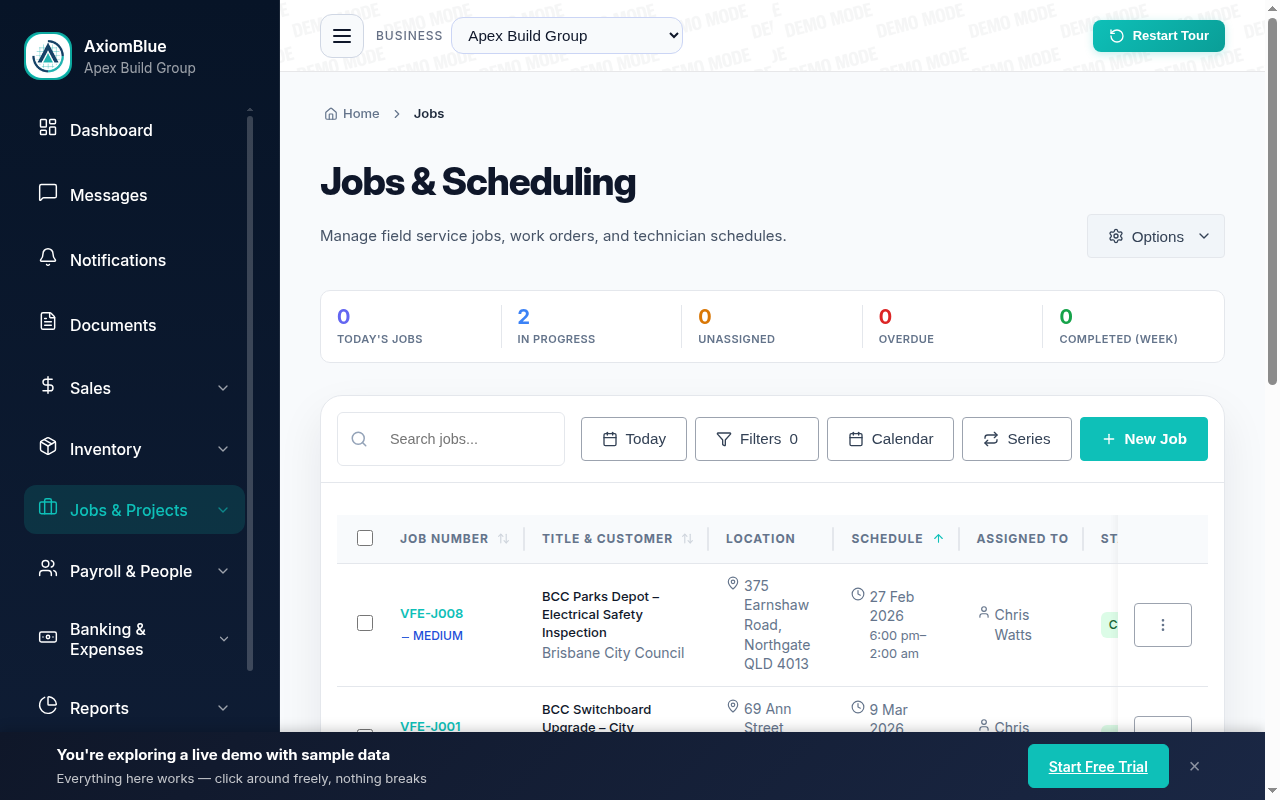
What are the stages of a landscape company workflow?
When each stage flows directly into the next, there are no gaps for jobs to get lost in.
Lead → Quote → Approval
Capture the enquiry, visit the site, and build a detailed quote with line items for materials, labour, and equipment. Send it as a professional document. Client approves digitally. The accepted quote becomes a job in one click. All the detail carries across. No re-entering information, no handover problems between quoting and delivery.
Job → Scheduling → Crew Dispatch
The job goes straight into the scheduling calendar. Assign it to a crew member or team. Crew see it on the mobile app: the job details, site address, any notes from the quote, and what's expected of them. When they're on site, they log time, materials, and photos from the app. You can see job status in real time from the office.
Completion → Invoice → Payment
Crew mark the job complete. You raise the invoice from the completed job record. All line items already populated. Review, send, and leave the site. Payment reminders go out automatically if the invoice isn't paid by the due date. Payment is recorded against the job and the customer record. Cash collected, job closed.
Disconnected workflow versus AxiomBlue
When each step of the workflow lives in a different tool, the gaps between them are where jobs get lost, invoices get delayed, and cash flow suffers.
| Disconnected tools | AxiomBlue Connected end-to-end | |
|---|---|---|
| Quote-to-job conversion | Manual re-entry of quote details into job system | ✓ One click. All details carry from quote to job. |
| Crew job dispatch | Phone call or group chat | ✓ Mobile app. Crew see their jobs automatically. |
| Job completion to invoice | Invoiced days or weeks later from memory | ✓ Invoice from the completed job, on-site, same day |
| Payment follow-up | Manual chasing via phone or email | ✓ Automated reminders for overdue invoices |
| Job status visibility | Unknown without calling the crew | ✓ Real-time status from the office. Every job tracked. |
| Customer history | Scattered across email, phone, and spreadsheets | ✓ All quotes, jobs, and invoices linked per customer |
The six specific AxiomBlue features that run a landscaping workflow
Here is the actual feature name for each step and exactly what it does in the platform.
Kanban CRM: Lead Capture and Pipeline
Every incoming enquiry becomes a card on the CRM kanban board. Columns represent your pipeline stages: New Enquiry, Site Visit Booked, Quote Sent, Won, Lost. Drag cards forward as leads progress. Each column header shows the total pipeline value at that stage. The Lead Source field (referral, web form, Google Ads, cold call) lets you run a pipeline report by source. That way you know which marketing is producing profitable work, not just volume.
Price Book + Assemblies: Fast, Accurate Quoting
The price book stores every service you offer (lawn mowing, pruning, garden bed prep, mulching, irrigation) with the price you charge. Add items to a quote in one click. For jobs with standard combinations of services (e.g. a maintenance visit = mowing + edging + blower + clean-up), create an Assembly: one click inserts the entire group with all line items. Quote consistently, price accurately, and send a professional document without rebuilding it each time.
Digital Signature: Instant Client Approval
Clients receive the quote via a secure share link. No customer login required. They review the quote, type their name, and submit. AxiomBlue records their name, email address, IP address, and timestamp. Legally binding under Australian electronic signature law. No printing, no scanning, no posting. The quote flips to Accepted the moment the client signs, and you can convert it to a job in one click immediately.
Auto-Schedule + Drag-and-Drop: Crew Assignment
With a job created from the accepted quote, open the scheduling calendar and drag the job onto a crew member's slot. Or use the Auto-Schedule feature: it analyses crew skills, current workload, working hours, and geographic proximity, and suggests the best crew member for each job. Colour-coded calendar in month, week, and day views. Drag to reorganise. Jobs reassign with one drop.
Crew App: On-Site Job Completion
Crew open AxiomBlue on their phone — the free native iPhone or Android app, or any browser, so no install is ever forced. They see their jobs for the day, the site address, job notes, and what's expected. Geofencing checks them in automatically when they arrive. They log materials, add photos, and mark the job complete from the site. The job status updates in real time at the office. No morning briefing calls, no paper run sheets.
One-Click Invoice from the Completed Job
When the job is marked complete, open it and click Create Invoice. All line items from the original quote are already populated: materials, labour, any approved variations. Review, edit if needed, and send it before you leave the site. The payment reminder schedule (configurable: 3-day, 7-day, 14-day intervals) sends follow-ups automatically for invoices that go unpaid. The aged receivables dashboard shows every outstanding invoice sorted by how long it's been open.
What does a landscaping job look like from enquiry to payment?
A residential client enquires about a garden redesign. You create a lead card in the CRM kanban and move it to Site Visit Booked. After the visit, you build the quote in AxiomBlue, pulling services from the price book, grouping materials and labour into sections, and inserting a site prep assembly as a single line.
You send it via the secure share link. The client reviews it on their phone that evening and digitally signs. One click converts the accepted quote to a job.
You drag the job onto your senior crew member's calendar on Thursday. On Thursday morning he opens AxiomBlue on his phone (the free native app, or any browser) and sees the job at the top of his schedule with the site address and your site notes. Geofencing checks him in when he arrives.
He logs materials as he uses them. At 3pm he uploads the before-and-after photos and marks the job complete. You see the status change from the office instantly.
You open the job, click Create Invoice, verify the line items, and send it to the client. Done by 3:15pm, same day as the work. If the invoice isn't paid in seven days, the payment reminder schedule sends a follow-up automatically.
The entire workflow (lead to invoice) ran inside one platform without re-entering a single piece of information. That is what a connected landscaping workflow looks like in AxiomBlue.
Landscape Company Workflow: Common Questions
The core workflow runs: enquiry → site visit → quote → client approval → job creation → crew scheduling → work delivery → completion → invoice → payment. In practice, most landscaping businesses have gaps between these steps. Quotes that don't convert to jobs automatically, invoices that go out days after completion, and payments that get chased manually. AxiomBlue connects every step so the workflow runs without the gaps.
When a client accepts a quote in AxiomBlue, it converts to a job with one click. All the quote details carry across. You then schedule the job in the calendar, assign it to a crew member, and they see it on their mobile app. No re-entering information at any stage. The quote and job are linked so you can see the full picture from acceptance to completion.
Start by putting quoting in one system. Every quote built the same way, sent professionally, tracked for follow-up. When quotes are accepted, convert them to jobs in the same system. Schedule from the same calendar. Invoice from the completed job. When every step uses the same platform, nothing falls through the cracks between steps.
When crew mark a job as complete on the mobile app, you can immediately raise an invoice from the job record. All line items from the original quote are already there: time, materials, any variations approved during the job. You review and send it before leaving the site. The invoice links back to the job and the customer record, so the full history is always visible.
Yes. AxiomBlue shows the status of every job: quoted, scheduled, in progress, completed, invoiced. You can see at a glance which jobs need a quote sent, which are waiting for client approval, which are scheduled this week, and which have been completed but not yet invoiced. No job gets lost in the workflow.
AxiomBlue starts at $29 per seat per month. The free plan covers quoting, scheduling, job management, and invoicing, with no time limit on it. No credit card required.
Connect Every Step of Your Workflow
From first enquiry to payment collected, in one platform, without the gaps where jobs and invoices go missing. Start free and see the whole workflow in action.
No credit card required • Free plan, no time limit • Cancel anytime