Roofing Businesses · Built in Australia
How to Document Roof Inspections With Photos and Quote on the Spot
You climbed the ladder, found the cracked tiles and the rusted valley, and climbed down. What happens next decides whether that inspection becomes paid work: photos filed on a job record and a quote sent before you leave — or a camera roll and a quote written "tonight" that arrives after your competitor's.
Quick answerDocument a roof inspection by photographing what you find while you're still up there, attaching every shot to the inspection's job record, then building the quote from a price book before you leave. AxiomBlue is Australian job management software that runs this whole loop — photo capture, price-book quoting, online acceptance, quote-to-job in one tap — from $29 AUD per seat per month, free plan with no time limit.
Roofing has two documentation problems in one visit. The customer can't see their own roof, so everything you found has to be shown, not described. And the findings are perishable — the sharp mental map of which tiles, which flashing, which side fades on the drive home. The fix for both is the same: capture the evidence at the point you're standing on it, into a record built to keep it.
- Photos and documents captured from the phone, straight onto the job record
- Every shot dated and attributed — who took it, on which inspection
- Quote built from your price book on site, or at the office with the photos open
- Customer accepts online in a branded portal — no printing, no phone tag
- Accepted quote becomes a scheduled job in one tap, GST handled throughout
How do you document a roof inspection with photos?
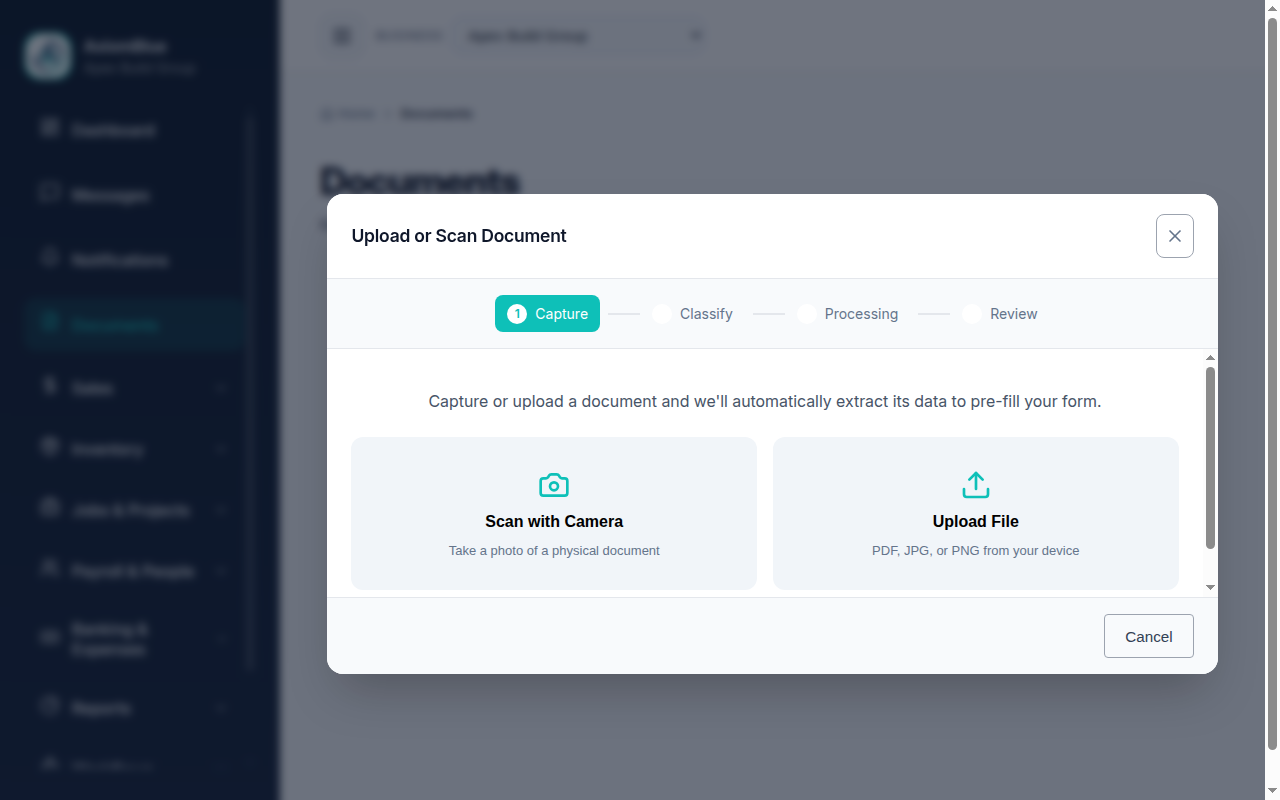
Create a job for the inspection, then photograph every finding from the roof and attach each shot to that job record from your phone — AxiomBlue records when each photo was added and by whom, so the evidence is tied to the property, the date, and the inspector rather than floating in a camera roll. Add written notes as you go: which elevation, what you'd repair versus replace, anything the photo alone doesn't say.
The discipline that matters is capturing while you're up there. Photos taken on the roof cost nothing; the same evidence is unobtainable the moment you drive off. Shoot wide for context and close for the fault — the ridge line, then the cracked capping; the whole valley, then the rust-through. A customer who's never seen their own roof needs both shots to believe the second one.
And because the photos live on the job record, they're still there when the story continues — the repair crew opens the same record and sees exactly which tiles, and if "was that damage already there?" ever comes up, the dated answer is one click away.
Roof inspections in AxiomBlue: the key facts
The checkable summary. Every row is expanded on this page.
| Key fact | AxiomBlue |
|---|---|
| Price | From $29 AUD per seat per month (Basic); $59 Professional |
| Free plan | No time limit, no credit card required |
| Photo capture | From the phone on site, straight onto the inspection's job record |
| Photo context | Job, time added, and team member recorded on every shot |
| Quoting | Searchable price book; build on site or at the office with photos open |
| Customer acceptance | Online, in a branded customer portal — no login needed |
| Quote → job | One tap; customer, site, scope, and pricing carried across |
| GST & accounting | GST automatic on quotes and invoices; two-way Xero sync, MYOB sync |
| Platform | Native iPhone & Android apps + the full platform in any web browser |
Can you build the quote while you're still on site?
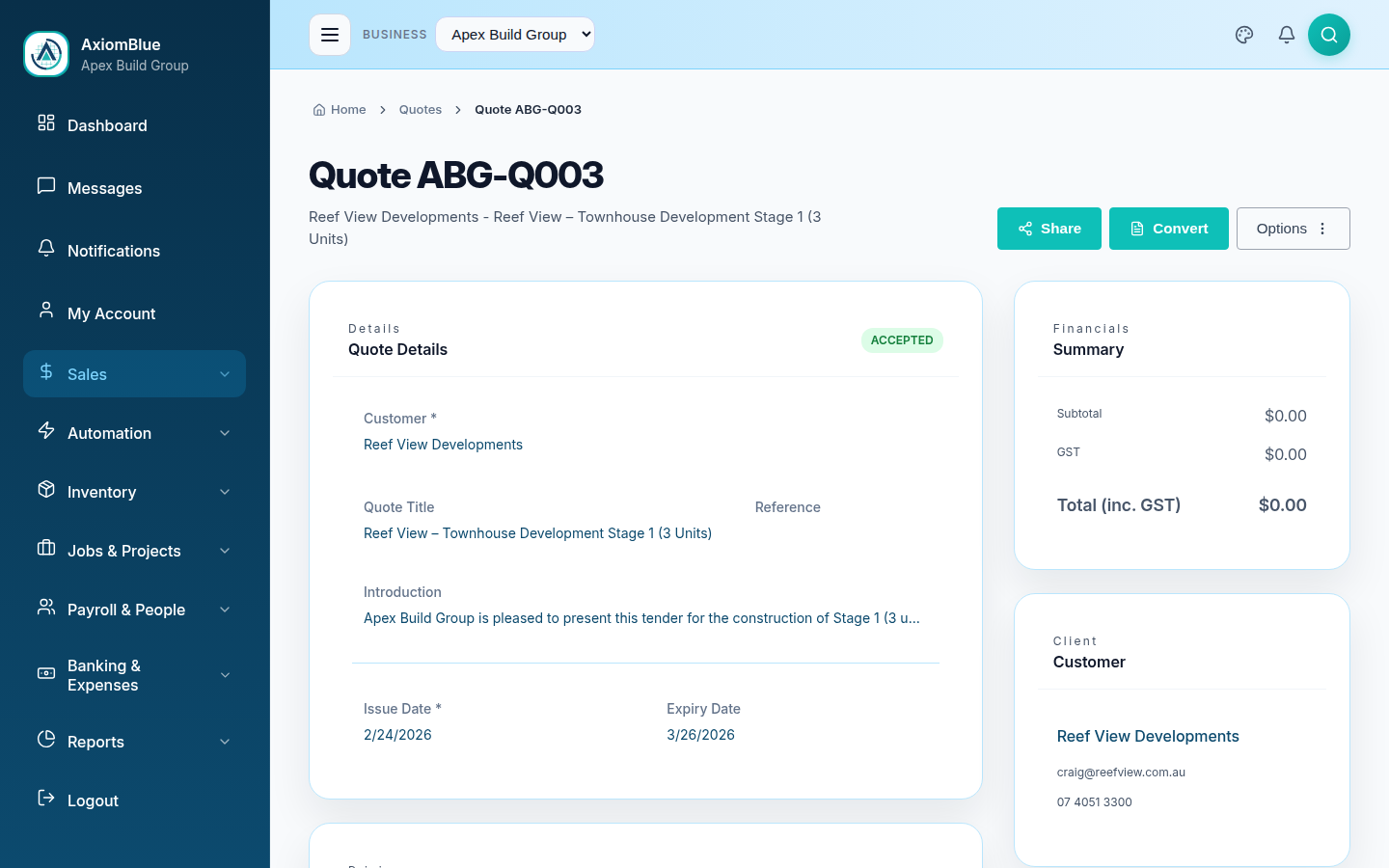
Yes — and for straightforward repairs it's the single biggest win in the whole workflow. AxiomBlue's searchable price book holds your rates and materials, so the quote is assembled by picking lines, not writing them: ridge capping re-bed, valley replacement per metre, tile supply, labour. Check the GST-inclusive total and send it from the driveway, while the customer is still looking up at the roof you just described.
Bigger or trickier jobs deserve office time — and the record makes that better too. Back at the desk, the quote is built on the same job that holds the inspection photos, so you're pricing what you can see, not what you can remember. Either way the quote that goes out is branded, professional, and priced from the book — not reconstructed from memory at 9pm.
From inspection to accepted quote, step by step
-
Book the inspection as a job
The inspection gets its own job record against the customer and property — the container everything else files into. If the enquiry came in as a lead, it's already in the pipeline with the contact details attached.
-
Photograph everything from the roof
Open the job in the free iPhone or Android app and shoot as you go — wide shot for context, close shot for the fault, every elevation. Each photo attaches to the record with the time and your name on it.
-
Note what the photos can't say
Repair versus replace, access notes, roof pitch, anything a photo doesn't carry — typed into the job notes while it's in front of you, not reconstructed later.
-
Build the quote from the price book
On the spot for simple repairs, or at the office with the photos open for complex ones. Line items come from your saved rates in a couple of taps each, and GST is applied automatically.
-
The customer accepts online
They get a link, open the branded quote in the customer portal on any device, and accept it there — no printing, no scanning, no phone tag. You're notified in the app the moment they do.
-
One tap turns the yes into a job
The accepted quote converts to a job with customer, site, scope, and pricing carried across, ready to schedule — and the crew who turns up can open the inspection photos and see exactly what they're there to fix.
Why does dated photo evidence matter in roofing?
Because roofing work is judged, disputed, and claimed against long after the ute has left — and in every one of those conversations, a photo with a date and a name attached outweighs anyone's recollection. Storm damage claims turn on when the damage was documented. "Your blokes cracked that skylight" turns on what the record shows from before the job started. Warranty questions turn on what condition the roof was actually in at inspection.
To be straight about what AxiomBlue does and doesn't do here: it does not generate a formatted insurance report, and there's no drone in the box. What it gives you is the thing every one of those documents and conversations is built from — dated, attributed photos and notes sitting on the inspection's job record, retrievable in seconds for as long as the record exists. When an assessor, an insurer, or a customer asks for evidence, you open the job, select the photos, and attach them to an email. That's a manual act, and honestly, that's how you want it — you decide what goes to whom.
The same evidence earns its keep commercially: the customer who has seen the rusted valley doesn't need convincing the valley needs replacing.
What happens when the customer accepts the quote?
You're notified in the app the moment they accept, the quote's status flips to Accepted, and one tap converts it into a job — customer, site, scope, and pricing carried across with nothing re-typed. The acceptance is recorded against the quote, so what was approved, and when, is on file if scope questions surface mid-job.
From there the job runs on the same record the inspection started: the crew sees the photos and notes from the roof, logs time and materials as they work, and when it's done the invoice is built from the job with GST correct and synced two-way with Xero (MYOB supported). One property, one continuous record — from the first photo of the cracked tile to the paid invoice. The full quoting workflow, including the price book and online acceptance in more depth, is covered in the quoting software guide; the portal side is covered in the customer portal guide.
Camera roll and evening quotes vs one record per inspection
The honest comparison is with how most roof inspections are actually handled: photos on a personal phone, findings in a head, and a quote written from memory that evening — or a generic quoting document with no connection to the evidence.
| Camera roll + evening quote | AxiomBlue One record per inspection | Generic quote / e-sign tool | |
|---|---|---|---|
| Where inspection photos live | ✗ Someone's phone | ✓ On the inspection's job record, dated and attributed | ✗ Not its job |
| Quote built from | ✗ Memory, at 9pm | ✓ Price book, on site or with photos open | ~ Typed from scratch |
| Time from roof to quote sent | ✗ Days, if the evening allows | ✓ Same visit for straightforward repairs | ~ Whenever the document gets written |
| Customer acceptance | ✗ Email reply or phone tag | ✓ One tap in a branded portal | ✓ E-signature |
| Accepted quote becomes a job | ✗ Re-typed somewhere else | ✓ One tap, crew sees the inspection photos | ✗ It's still just a signed PDF |
| Evidence for later disputes & claims | ~ If the phone still exists | ✓ Dated photos on the record, attach to email in seconds | ✗ None |
Roof Inspection Documentation — Common Questions
Photograph everything you find while you are still on the roof and attach each shot to a job record for that inspection, so the evidence is dated, tied to the property, and attributed to the person who took it. AxiomBlue does this from the free iPhone or Android app - photos and documents go straight onto the inspection's job record, next to your notes, instead of into a camera roll.
Yes. AxiomBlue's searchable price book holds your rates and materials, so you can assemble the quote from the customer's driveway - pick the line items, check the GST-inclusive total, and send it before you drive away. If the job needs more thought, build it back at the office with the inspection photos open in front of you on the same record.
Yes. Every photo on an AxiomBlue job record carries its context: the job it belongs to, when it was added, and which team member added it. Months later, that context is what makes the photo useful - it ties the cracked tiles to a specific property, a specific date, and a specific inspection, not just to an image in someone's phone.
No. AxiomBlue does not produce a formatted insurance report document, and we won't pretend otherwise. What it gives you is the raw material those conversations run on: dated photos and written notes on the inspection's job record, tied to the property and the inspector, which you can attach to an email whenever an insurer, assessor, or customer asks.
The customer opens the quote in a branded portal - no login, no printing - and accepts it there, from any device. You are notified in the app the moment they do, the quote's status updates to Accepted, and one tap converts it into a job with the customer, site, scope, and pricing carried across, ready to schedule.
Yes. AxiomBlue has free native apps for iPhone and Android - on the App Store and Google Play - and the full platform also runs in any browser, so nobody is forced to install anything. From the phone you can capture photos and documents to the job, build and send quotes from the price book, log time and materials, and invoice on site.
AxiomBlue is $29 AUD per seat per month on the Basic plan, which includes photo capture, quoting with online acceptance, scheduling, job management, and invoicing with GST handled automatically. The Professional plan is $59 AUD per seat per month and adds automation templates such as automatic quote follow-ups. There is a free plan with no time limit, and no credit card is required to start.
Quote the Next Roof Before You're Off the Ladder
Load your rates into the price book once, and the next inspection ends with photos on the record and a quote in the customer's inbox — not a mental note and an evening of paperwork.
No credit card required • Free plan, no time limit • Built in Australia