
The starting point
Review the balance and customer context before following up. Give the recipient a clear invoice reference and next step, then record the outcome so the next reminder reflects what changed.
Start from outstanding balances, not a list of old invoices
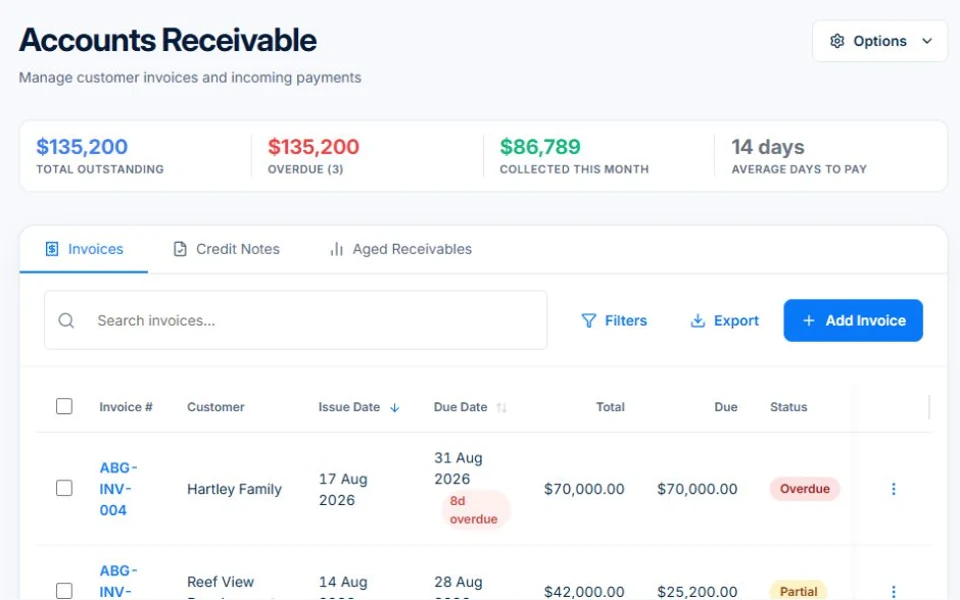
Check the due date and current balance. Review recently recorded payments, credit notes and any conversation about the invoice. An overdue date tells you to investigate; it does not tell you why payment has not arrived.
Give a named person responsibility for the exceptions. A disputed item, a missing purchase-order reference and an invoice that went to the wrong email address need different responses.
Make the reminder easy to understand
Use the invoice number, amount outstanding and a way to find the invoice. Ask the customer to let you know if something needs clarification. Keep the first contact concise and factual.
For example: “Hi Sam, a quick follow-up on invoice INV-104 for the maintenance visit. Our records show $240 outstanding. You can find the invoice using the link below. If you have already paid or need any detail checked, please let us know.” This is an illustrative message; replace the details and confirm the balance before sending.
Record what happens next
If the customer promises a payment date, record it. If they query the work, route that question to the person who can answer it. If a payment arrives, update the balance before sending another reminder.
A simple review routine is often enough to expose invoices that need attention. Look for patterns such as incomplete descriptions or invoices being sent to site contacts who do not handle accounts. Fixing the source of confusion can be more valuable than increasing reminder frequency.
Automate a reviewed process, including its exceptions
Axiom Blue provides accounts receivable and Professional workflows. Before enabling a reminder workflow, check its trigger, timing, conditions, message and stop conditions using sample records. Make sure it behaves sensibly after payment or an adjustment.
Decide which situations still need a person. Automation should make a reliable routine repeatable. It should not keep contacting a customer simply because an unresolved exception was never recorded.
Use a reminder that leaves room for a useful reply
Adapt this example to your records: “Hi [name], our records show $[balance] remaining on invoice [number] for [work], due [date]. You can view the invoice at [link]. If you have already paid or have a question about the work, please reply so we can check. Thanks, [business].”
Before sending, replace every placeholder, check the balance and use the correct recipient. If the customer raises a query, pause the routine follow-up while someone resolves it. A second reminder should reflect the latest account position, not simply repeat an old amount.
Put it to work
Your practical checklist
- Review an overdue invoice and its current balance.
- Check the customer and invoice recipient.
- Draft one clear reminder with an invoice reference.
- Test the workflow after payment or a credit.
- Assign ownership for queries and exceptions.
See the records in Axiom Blue
Try the workflow with a familiar job.
Features and usage limits vary by plan. Review the tools relevant to your process before choosing your setup.