Cleaning Businesses · Built in Australia
How to Prove a Clean Happened: Photo Evidence for Cleaning Businesses
"You never cleaned the bathroom" arrives by email at 8am, three weeks after the visit. If your proof is a cleaner's memory and a group chat, you're negotiating. If it's dated before-and-after photos on that visit's job record, you're attaching two files to one reply.
Quick answerThe reliable way to prove a clean happened is before-and-after photos attached to that visit's job record, with the time and the person who took them recorded alongside. AxiomBlue is Australian job management software that works exactly this way — cleaners photograph their work from the free iPhone or Android app or any browser — from $29 AUD per seat per month with a free plan that has no time limit.
Cleaning has a proof problem no other trade quite has: good work is invisible. A sparkling office at 6am looks, by 3pm, like an office. When a complaint lands weeks later, the burden of proof sits entirely on you — and "our cleaner definitely did it" is not proof. Photos are. But only if they're organised so you can actually find the right ones.
- Before-and-after photos taken from the app — native iPhone & Android, or any browser
- Every photo attaches to that visit's job record, not a camera roll
- Time and team-member context recorded on every shot
- Recurring commercial contracts: each visit is its own dated record
- Dispute lands? Open the job, attach the photos, send one reply
Why do cleaning businesses need proof-of-service photos?
Because cleaning is the one service where the customer almost never watches the work happen — commercial cleans run before opening or after close, so every invoice you send is, in effect, a claim the client takes on trust. Proof-of-service photos convert that trust into evidence: a before shot and an after shot from each visit, stored where they can be retrieved months later, showing the work was done, done properly, and done on the day you billed for.
The stakes are highest on recurring commercial contracts. One disputed visit rarely costs you the visit — it costs you the renewal, because a facilities manager who can't verify your work has nothing to defend you with when their own boss asks why the cleaning budget exists. The businesses that keep contracts are the ones that can answer "prove it" politely, quickly, and every single time. A camera roll can't do that. A system where every photo lives on the visit it documents can.
Photo proof in AxiomBlue: the key facts
The checkable summary. Every row is expanded on this page.
| Key fact | AxiomBlue |
|---|---|
| Price | From $29 AUD per seat per month (Basic); $59 Professional |
| Free plan | No time limit, no credit card required |
| Photo capture | From the job, on site — attaches to that visit's record |
| Photo context | Job, visit, time added, and team member recorded |
| Sharing with clients | Manual and deliberate — you attach photos to an email when needed |
| Recurring contracts | Recurring schedules generate each visit as its own job record |
| Site instructions | Notes on the job record — scope lists, alarm codes, room-by-room tasks |
| Platform | Native iPhone & Android apps + the full platform in any web browser |
| Invoicing | GST automatic; two-way Xero sync, MYOB sync |
How do before-and-after photos work on a job record?
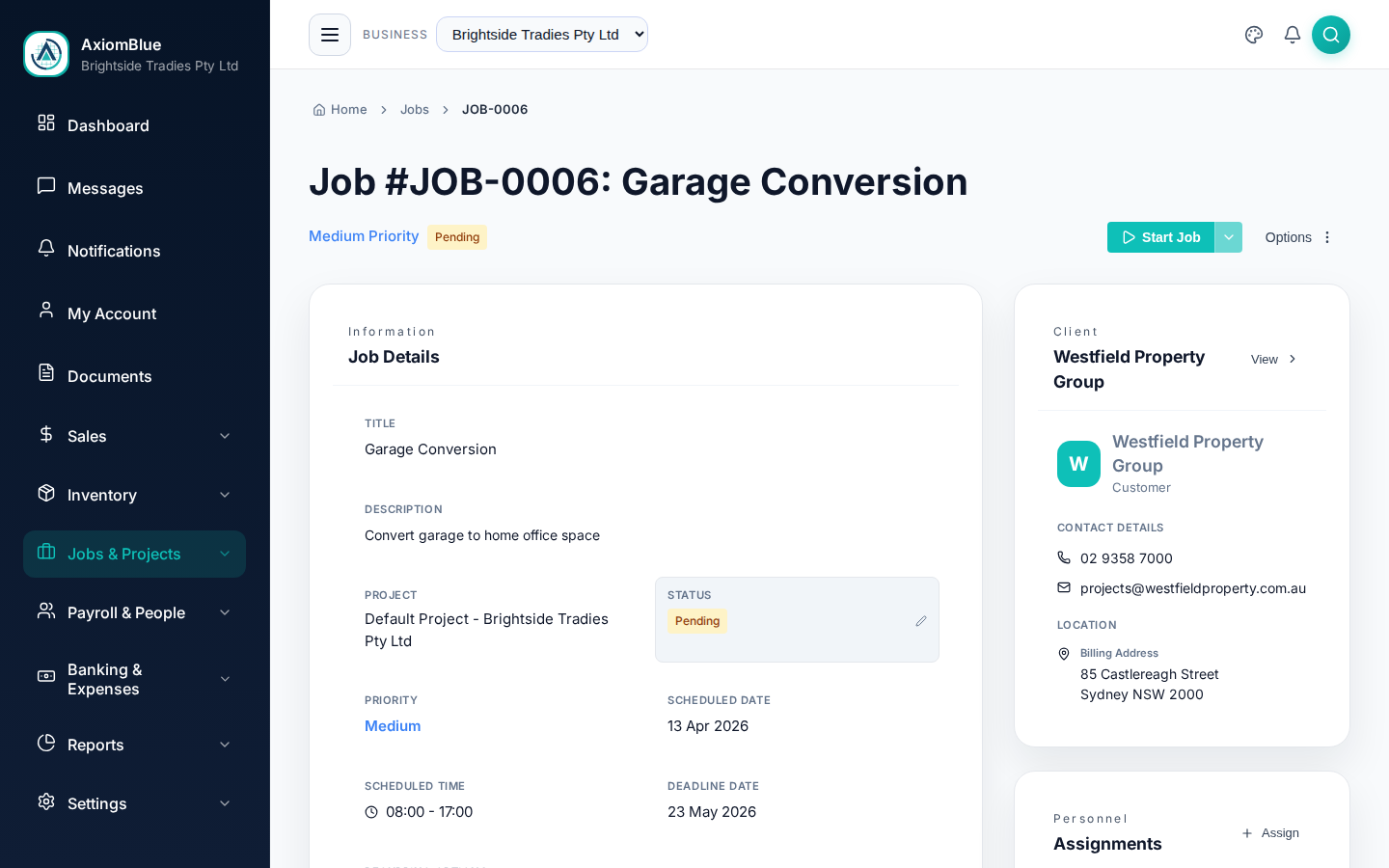
Each cleaning visit in AxiomBlue is a job record, and photos attach directly to it: the cleaner opens the job on their phone, takes the shot, and it files against that visit — with the time it was added and the team member who added it recorded alongside. There's no separate photo app, no end-of-shift upload ritual, and no folder-naming convention anyone has to remember.
That structure is the whole trick. A photo in a camera roll is a picture; a photo on a job record is a documented fact — this site, this visit, this person, this time. When you need the evidence from the Tuesday clean at the Collins Street office three months ago, you don't scroll — you open that job and it's there, next to the notes and the clock-on times from the same visit.
How to set up photo proof of service, step by step
-
Put each contract on a recurring schedule
Set the site up once — twice-weekly office clean, monthly deep clean — and AxiomBlue's recurring schedule generates each visit as its own job record. That per-visit record is what everything else hangs off: one visit, one dated container for its photos, notes, and times.
-
Make befores-and-afters part of the routine
The habit is two moments: a quick set of shots when the cleaner walks in, and the matching set before they lock up — bathrooms, kitchens, and whatever the contract says matters. From the free iPhone or Android app (or any phone browser), each photo is a couple of taps from the open job.
-
Keep the scope on the job as notes
Put the site's task list in the job notes — the rooms, the extras, the "always empty the third-floor kitchenette bin" details — so the cleaner works through it checklist-style and notes anything unusual: a locked office, a spill that was already there. Those written observations date-stamp themselves into the record next to the photos.
-
Clock on and off against the visit
Cleaners clock on and off from the app with GPS check-in, so the record shows not just what the site looked like but who was there and for how long. Photos plus times is a much stronger story than either alone.
-
When proof is asked for, send it — deliberately
Nothing is shared with the client automatically; the photos are your records. When a question comes in, open that visit's job, pick the shots that answer it, and attach them to your reply. One email, evidence included, tone kept friendly.
What do you do when a client says the bathroom was never cleaned?
You open that visit's job record, attach the before-and-after photos of the bathroom, and reply once — "Here's the bathroom at 5:42am when Maria arrived and again at 7:15am when she finished; happy to talk through anything that's slipped since." The dispute that used to mean a week of he-said-she-said, a free re-clean offered to keep the peace, and a cleaner feeling accused becomes a five-minute email.
Notice what the photos change: not just the outcome, but the tone. Without evidence, defending your work sounds defensive, and many cleaning businesses quietly credit invoices they shouldn't just to avoid the argument. With evidence, you can be generous from strength — if something genuinely was missed, the photos show that too, and owning it precisely ("the mirrors, you're right — we'll fix it Thursday, no charge") builds more trust than a blanket apology ever could. Either way, the conversation is short, specific, and over.
It protects your team too: the cleaner who did the work stops being the unprovable party in every complaint.
Do proof-of-service photos help win contract renewals?
Yes — because at renewal time, a year of per-visit records is the difference between "we've been reliable" and being able to show it. Every visit on the contract exists as a dated job record with photos, notes, and clock-on times, so when the facilities manager reviews suppliers, you can walk in with the actual history: visits completed, issues noted and fixed, evidence on file for every one. Your competitor bidding for the same contract walks in with a brochure.
The quieter effect shows up before renewal is even discussed. Clients who learn that every query gets a same-day, photo-backed answer stop querying — and a contract with no disputes in the file is the easiest kind to renew. The record-keeping you built to defend yourself becomes, over time, the reason nobody attacks.
The same per-visit records feed the boring-but-vital end of the contract too: invoices raised from the jobs themselves, GST applied automatically, synced two-way with Xero (MYOB supported) — so the paperwork the client's accounts team sees lines up with the visits their building actually received.
Camera rolls and group chats vs photos on the job record
Most cleaning businesses already take photos — the problem is where they end up. Here's the honest comparison between the usual approaches and photos that live on the visit they document.
| Cleaner's camera roll | AxiomBlue Photos on the record | WhatsApp / group chat | |
|---|---|---|---|
| Finding one visit's photos months later | ✗ Scroll and pray | ✓ Open that visit's job record | ✗ Scroll further, pray harder |
| Tied to the right site and date | ✗ Only if someone remembers | ✓ Job, visit, time, and team member recorded | ~ Chat timestamp, wrong thread half the time |
| Survives staff turnover | ✗ Leaves with the phone | ✓ Belongs to the business, on the job | ~ Buried in a chat someone owns |
| Sits next to notes & clock-on times | ✗ Photos only | ✓ One record per visit: photos, notes, times | ✗ Photos and noise |
| Answering a dispute email | ✗ "I'll check with Maria" | ✓ Attach from the job, reply same morning | ~ Forwarded screenshots, if found |
| Renewal-time contract history | ✗ None | ✓ Every visit dated, documented, invoiced | ✗ None |
Proof-of-Service Photos — Common Questions
Proof-of-service photos are before-and-after shots taken at each visit that show the state of a site when the cleaner arrived and when they left. In AxiomBlue, cleaners take them from the free iPhone or Android app - or any browser - and each photo attaches to that visit's job record with the time and the team member who added it.
They open the job in the AxiomBlue app, take or upload the photo, and it files against that visit's job record on the spot. There is no end-of-day uploading session and nothing sits in a personal camera roll - the photo lives on the visit it belongs to, alongside the notes, the logged time, and the job status.
No - and that is deliberate. Photos live on the job record as your business's evidence; nothing is shared unless you choose to share it. When a client asks for proof, you open the job, pick the relevant photos, and attach them to an email. Sharing is a decision you make per conversation, not something the software does on its own.
Yes. Every photo on an AxiomBlue job record carries its context: the job and visit it belongs to, when it was added, and which team member added it. That context is what turns a photo into evidence - a bathroom photo means little on its own, but the same photo sitting on the 14 March visit, added by the cleaner rostered there, settles the question.
Yes. AxiomBlue has free native apps for iPhone and Android - on the App Store and Google Play - and the full platform also runs in any phone browser, so nobody is forced to install anything. Cleaners see their day's jobs, clock on and off with GPS check-in, read the site notes, and attach photos from site.
Yes - recurring contracts are where photo proof earns its keep. AxiomBlue's recurring schedules generate each visit as its own job record, so every clean of the same office has its own dated photos and notes. Over a year, that becomes a visit-by-visit history of the contract that no group chat or camera roll can reconstruct.
AxiomBlue is $29 AUD per seat per month on the Basic plan, which includes jobs, scheduling, photo capture, notes, quoting, and invoicing with GST handled automatically. The Professional plan is $59 AUD per seat per month and adds automation templates. There is a free plan with no time limit, and no credit card is required to start.
The Next "Prove It" Email Takes Five Minutes
Put one contract on AxiomBlue, have the crew shoot befores and afters for a fortnight, and see what it feels like to answer a complaint with evidence instead of apology.
No credit card required • Free plan, no time limit • Built in Australia