
Plan workshops and report delivery in AxiomBlue
- On AxiomBlue Professional, create project tickets for preparation, workshop, analysis and report review. Keep the missing client input and responsible contact on the relevant ticket or job description.
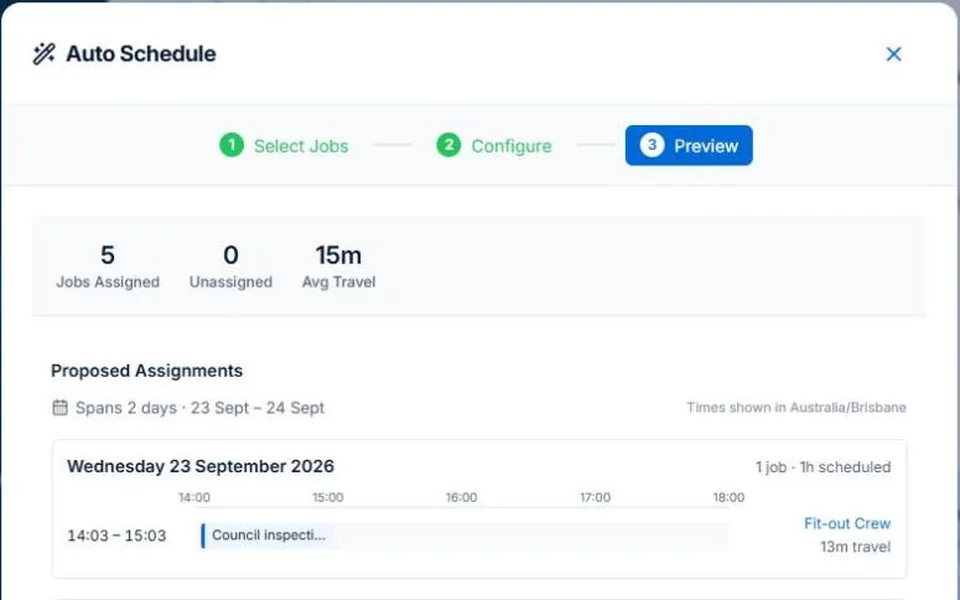
- Set workshop/delivery job durations and preview their people and times in Auto Schedule. Review crew skills and leave where relevant; compare the appointment with the project’s remaining delivery work before accepting another workshop.
- Update the checked project/job dates and confirm them with the client. Retain the agreed brief and record an approved additional workshop through Professional Variations. Recorded delivery hours remain cost inputs when the engagement is fixed-fee.
Separate appointments from work that still has to happen
A workshop time is only part of the engagement. Plan preparation, analysis, internal review and the deliverable around it. Name the person who supplies each client input and the owner who checks it. Avoid making a milestone date imply that missing material has arrived.
Check the extra workshop against the rest of the workload
Illustrative case: a process-review client requests another workshop during the report-writing week. Review the scope decision, availability and effect on the report before offering a date. The extra booking and its approved commercial change should stay distinguishable.
Review project tasks and team assignments at their actual scope
AxiomBlue Professional provides project tasks and phases plus crew skills and leave records. Use those tools to review delivery and availability. Assisted job scheduling proposes people and times from recorded constraints; check the result before applying. Client decisions and specialist professional judgement remain outside that proposal.
Keep the next owner’s handover clear
Record the current brief, outstanding client decisions and next deliverable. Confirm revised milestones with the appropriate people. Review actual delivery time against the estimate, and bill according to the agreement. A fixed-fee engagement does not become hourly billing because more time was recorded.
Common questions
Questions about this process
Does booking a workshop reserve all the delivery time?
No. Include preparation, analysis, review and the deliverable in the capacity plan. Confirm client inputs and approval dates separately from the meeting.
Put it to work
Your practical checklist
- Plan preparation, delivery and internal review.
- Name client input and approval owners.
- Check capacity before promising an extra workshop.
- Review project dates and assignments separately.
- Confirm the changed scope, milestone and billing basis.
See the records in Axiom Blue
Try the workflow with a familiar job.
Features and usage limits vary by plan. Review the tools relevant to your process before choosing your setup.