
Prepare the bill for the installation and approved circuit in AxiomBlue
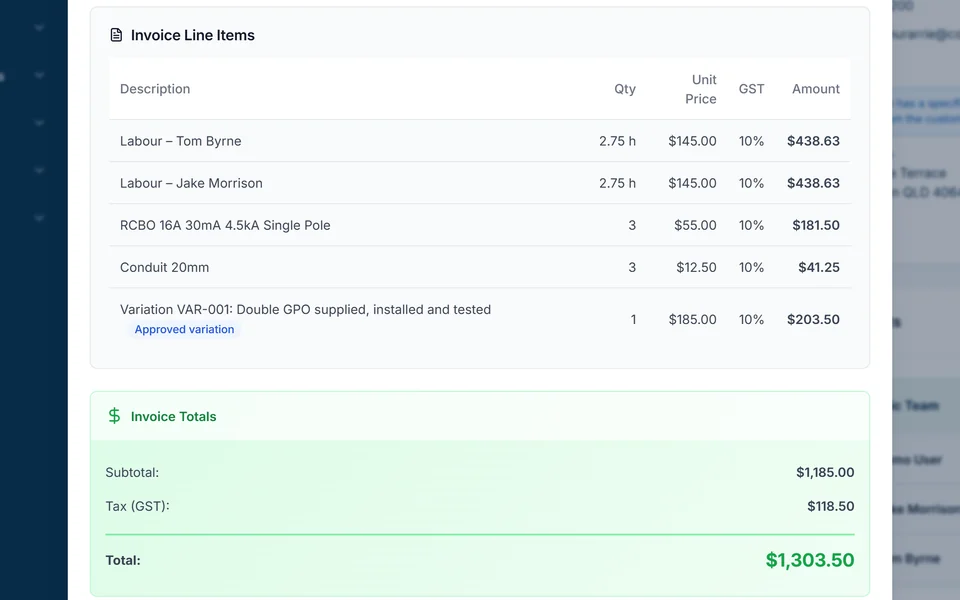
- Open the AxiomBlue electrical job, check the accepted quote and billing method, then review Time Tracking and Materials. On Professional, find the approved added circuit in Variations rather than adding the crew’s overrun to a fixed price.
- For completed time-and-materials work, select Generate Invoice and inspect Invoice Preview. For the fixed-price example on Professional, inspect the contract and New Claim against $1,380 agreed value and $400 previously invoiced.
- Check the remaining $980 before GST against the actual previous invoice, payer and tax setup. Create the appropriate draft, review it in the invoice editor, then approve and send; a payment against the earlier invoice is not another charge.
Begin with the charging agreement
A quoted upgrade, an hourly repair and an investigation fee can require different invoice lines. Retain the agreed basis and clarify whether attendance is included. Keep required certificate or inspection references accessible, while using the proper regulatory process for those documents.
Use the job record to explain what belongs on this bill
Review the work completed, labour, parts and any remaining return visit. If the client requested another circuit, find its price and approval. Extra hours on the original fixed scope change your cost review; they do not create extra customer revenue by themselves.
Work through an illustrative upgrade invoice
Assume an agreed upgrade of $1,200 and an approved added circuit of $180, both excluding GST. The agreed charges total $1,380 before GST. If $400 of that value was already invoiced, the remaining value to invoice is $980 before GST. Check the actual previous invoice and billing method rather than adding a deposit as a new charge.
| Agreed value / already billed | Amount excluding GST |
|---|---|
| Original upgrade | $1,200 |
| Approved additional circuit | $180 |
| Total agreed value | $1,380 |
| Previously invoiced | $400 |
| Remaining value to invoice | $980 |
Review the draft, recipient and balance before sending
Check the agreed price, approved extras, previous invoices, payments and any disputed amount. Verify the payer and required invoice reference. Confirm GST treatment for your registration and supply, and check the ATO requirements for the document. Issuing an invoice and receiving payment are separate events.
AxiomBlue connects quotes, job records and invoicing. Review the job’s billing method and draft rather than assuming every recorded cost is a customer charge. Core invoicing is available on Free within its limits. Professional adds variations and advanced billing processes; online sending and payments need a connection.
Sources: ATO tax invoice requirements
Common questions
Questions about this process
Can I add extra hours to a fixed-price electrical invoice?
Recorded extra hours affect your cost review. Charge additional revenue only when it follows the agreement, such as separately approved extra scope; do not treat an overrun as automatic permission to bill more.
Put it to work
Your practical checklist
- Confirm fixed-price, hourly or investigation terms.
- Match work and parts to the correct job.
- Find approval for each extra charge.
- Reconcile previous invoices and payments separately.
- Review the draft and payer before sending.
See the records in Axiom Blue
Try the workflow with a familiar job.
Features and usage limits vary by plan. Review the tools relevant to your process before choosing your setup.