
Plan a service round and installation in AxiomBlue
- Give every AxiomBlue service job a unit reference, scope, Site Address and Estimated Duration. On Professional, create the agreed repeat services as Job Series and check the individual generated visits.
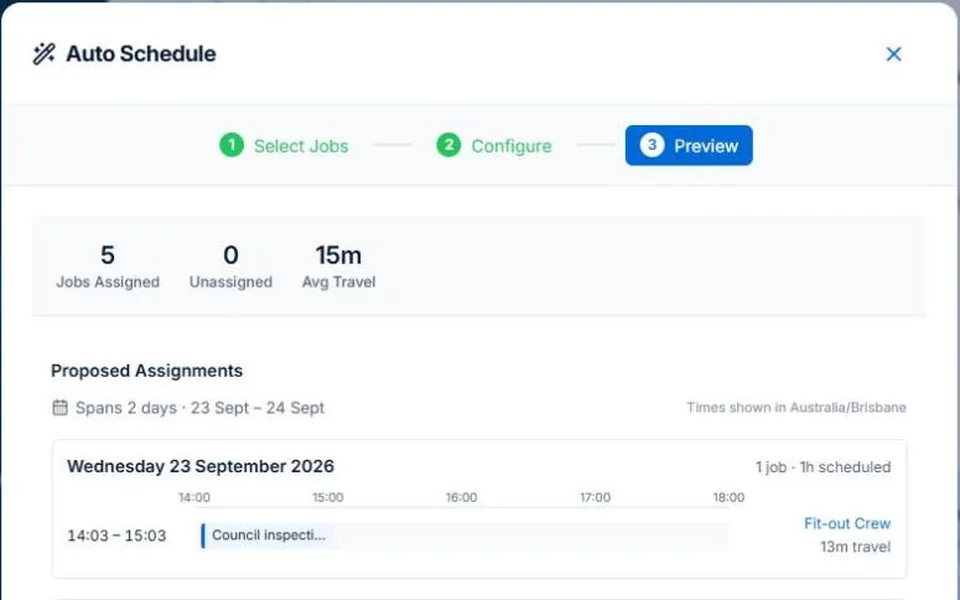
- Select ready installation/service work in Auto Schedule and review assignments around the multi-day installation. Inspect suitable technicians, warnings and work left unplaced; access and shutdown windows need their separate check.
- After applying the plan, record incomplete work and the correct unit reference in the visit’s Description/Notes. Review the return and recurring dates before confirming them; do not mark the service complete just to keep the round tidy.
Put the equipment and the visit scope on the job
Record the unit reference and the agreed maintenance, diagnosis or installation work. Check access arrangements, required tools and any customer shutdown window. Two units at one site may need different durations or follow-up; one vague property booking will not explain that to the technician.
Keep repeat maintenance visible beside installation work
Illustrative week: a regular service round shares technicians with a two-day installation. Preserve each maintenance visit’s scope and agreed date range when reviewing the larger job. On Professional, recurring job series can organise repeat work, but each visit still needs a meaningful outcome and exceptions review.
Review the proposal before committing the day
AxiomBlue’s assisted scheduling uses recorded duration, bookings, working hours and travel to propose assignments. Professional adds crew skills and approved leave. Inspect the people, times, warnings and work not placed before applying; keep inputs current. Job readiness and customer arrangements still need your review. Individual scheduling is available on Free within limits and on Basic.
Review the visit that cannot be completed
If access fails or a part is needed, record the actual finding and the next action against the correct unit. Agree the return time and check the repeat schedule rather than marking all work complete. Review the billing arrangement separately: a scheduled service and a payable invoice are not interchangeable.
Common questions
Questions about this process
Does a recurring service schedule prove the equipment was maintained?
No. Record the actual visit, unit and service outcome. Review skipped, incomplete and changed visits separately from the repeat pattern and billing.
Put it to work
Your practical checklist
- Identify the unit and service scope.
- Check access, tools and installation prerequisites.
- Review repeat visits beside multi-day work.
- Inspect technician assignments and unplaced jobs.
- Record an incomplete visit and its return action.
See the records in Axiom Blue
Try the workflow with a familiar job.
Features and usage limits vary by plan. Review the tools relevant to your process before choosing your setup.