Hiring & Managing Landscaping Crew
How to Write a Landscaper Job Description That Attracts Good Crew
Finding reliable landscaping crew is one of the hardest parts of growing. A vague job ad gets vague applicants. This guide covers what to include in the ad, how to assess candidates fast, and how to onboard new hires so they are productive from day one. No extra admin load on you.
Quick answerA good landscaper job description lists specific duties, physical requirements, required licences, and the actual pay range. That specificity filters out unsuitable applicants and signals to experienced landscapers that you run a professional operation. Pair it with structured onboarding, with schedules and job details in an app like AxiomBlue, so new crew are productive within days.
When a landscaping business is growing, the owner is often the best landscaper on the team, and often the bottleneck. Hiring crew should solve that. But a poorly written job ad creates a different problem: dozens of unsuitable applications, and the good candidates applying elsewhere.
A specific, honest job description does two things. It filters out applicants who aren't a fit before you waste time on interviews. And it signals to experienced landscapers that you're a professional operation worth joining. The right candidate is evaluating you as much as you're evaluating them.
- What duties and physical requirements to list clearly
- Which licences and qualifications to specify, and which to leave optional
- How to structure the hiring process to find reliable candidates fast
- How AxiomBlue onboards new crew members without extra admin
- How to manage a growing team across multiple sites
How do you build a reliable landscaping crew?
Hiring good landscaping crew is a process, not an event. Each stage requires a different approach.
Write a Job Ad That Filters Well
Specify the duties, physical demands, required licences, and pay range. Vague ads attract vague applicants. If the role involves operating machinery, say so. If it requires an early start, say so. Candidates who self-select out early save everyone time.
Assess Practical Skills Before You Commit
A paid trial shift reveals more than any interview. Watch how they handle unfamiliar equipment, how they work around other crew, and how they respond when something goes wrong. Reliability signals show up early. A candidate who is late to their trial shift will be late on your jobs.
Onboard New Crew Without Extra Admin
Once hired, new crew members need to know where to go, what to do, and how to log their time. AxiomBlue's mobile web app handles this. They open it in their phone browser, see their schedule, and get to work. No paper run sheets, no morning coordination calls, no admin load on you.
Managing crew without systems versus with AxiomBlue
Hiring crew without the right systems means more admin for you, not less. The platform you use to manage work determines how much of your time goes on coordination versus running the business.
| Without systems | With AxiomBlue Crew-ready from day one | |
|---|---|---|
| Morning briefing | Phone calls or WhatsApp to each crew member | ✓ Crew sees schedule on app before they leave home |
| Site information | Verbal instructions or paper run sheets | ✓ Site address, job notes, and photos on the app |
| Time tracking | Written timesheets, often inaccurate | ✓ Start/finish logged from mobile app per job |
| Materials logging | Memory or paper notes, often forgotten | ✓ Logged from app against the job in real time |
| Job completion record | Phone call back to the office | ✓ Status update + photos submitted from the site |
| New crew member readiness | Days of manual briefings and run sheet prep | ✓ Operational from day one with mobile app access |
How does software help you manage a landscaping crew?
Here is the actual feature name for each crew management function, and exactly what it does in the platform.
Crew Mobile Web App: No Install Required
AxiomBlue's field interface runs in any phone browser. No app download required. On a new crew member's first day, assign them to their jobs and they open AxiomBlue in their phone browser. They see their jobs for the day: which sites, in what order, job notes, and what's expected. No run sheets to print, no morning briefing to run, no separate training on a scheduling app. Most crew are operating independently within their first shift.
Geofencing Check-In: Automatic Time Tracking
Configure a geofence radius around each job site. When a crew member arrives within the boundary, AxiomBlue checks them in automatically. No manual clock-in. When they leave, it checks them out. Precise arrival and departure times are logged against the job record. You see when every crew member arrived at every site from the office, without calling anyone. No timesheets to chase, no guesswork about hours on site.
Push Notifications: Instant Job Alerts to Crew Phones
When you assign a job or change a crew member's schedule, they receive a push notification immediately. No SMS, no call. The notification shows the job name, date, and site address. If you drag a job to a different crew member on the calendar, the old crew member gets a cancellation notification and the new one gets an assignment. Both happen instantly. Your crew always have the current schedule, not the one from this morning.
Job Assignment Status: Invited to Completed
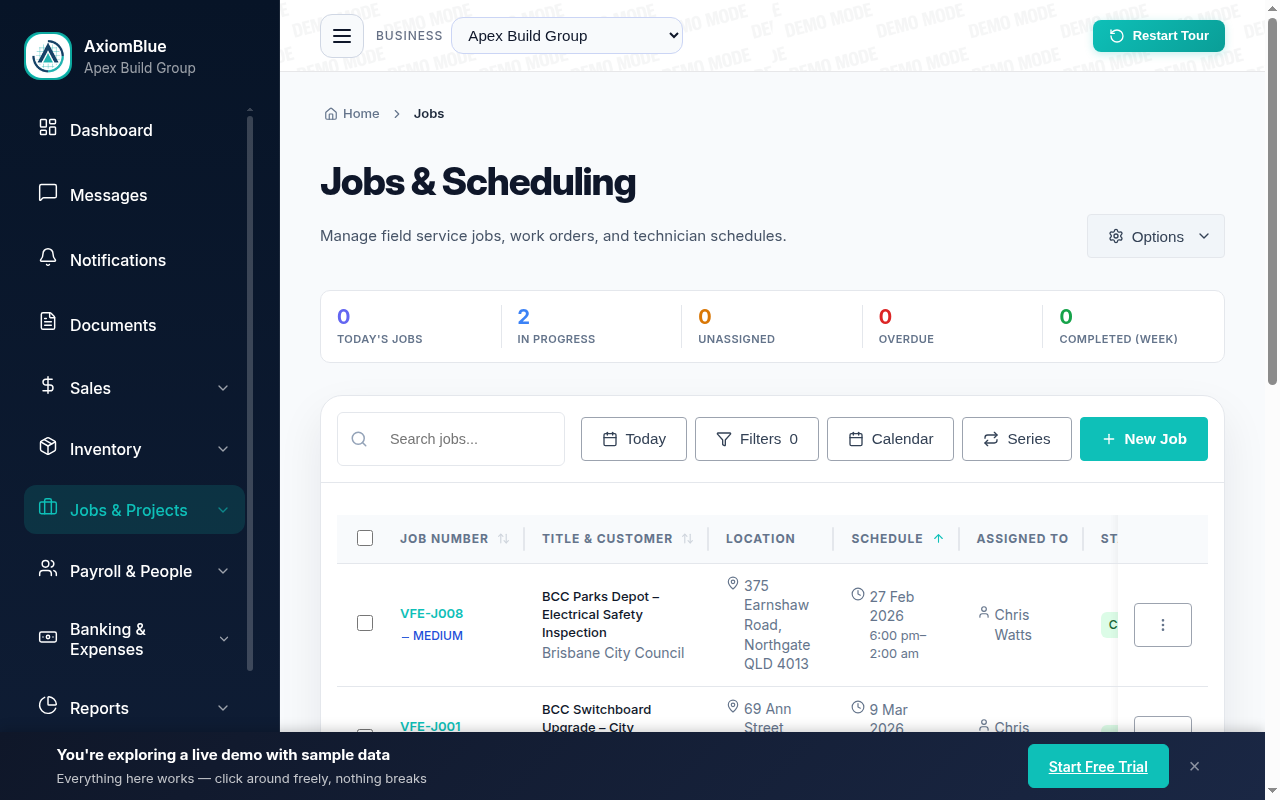
Each assigned job moves through a status pipeline: Invited, Accepted, Scheduled, In Progress, Completed. You see the current status of every job for every crew member on one screen. No calling around to check where someone is. The status tells you. If a job sits at Invited without being accepted, you know to follow up. When a job moves to In Progress, geofencing has confirmed they're on site.
Automation Canvas: Job Assigned, Email Sent to Crew
Build an automation in AxiomBlue's automation canvas: trigger = "job assigned to crew member", action = send a customised email with the job details, site address, and any preparation notes. Use a Branch node to send different messages for residential versus commercial jobs, or for morning versus afternoon starts. This runs for every assignment automatically. Every crew member gets the same complete job information from their first shift, with no manual email writing.
Actual vs Quoted Hours: Job-Level Profitability
Geofencing logs precise on-site time for each crew member at each job. AxiomBlue compares actual time against the hours quoted. Over time you can see which job types consistently run over, which crew members work faster or slower than the quote assumes, and which services need a higher price to maintain margin. These are the data points that make quoting more accurate and pricing more profitable over time.
What a new crew member's first day looks like in AxiomBlue
You've hired a landscaper starting Monday. The day before, you assign them to their jobs in AxiomBlue: three maintenance visits across the day. They receive a push notification to their phone. They open AxiomBlue in their browser (no download required) and see their three jobs with the site address, start time, and job notes for each. No printed run sheet. No 7am call from you to brief them on the day.
Monday morning they drive to the first site. When they enter the geofence, AxiomBlue logs their arrival time. They complete the maintenance, add a photo to the job record, and mark it complete. Their status updates in real time at your desk. You see Completed before they've loaded the trailer. The automation triggers: the job completion email goes to the client automatically. They drive to site two. Same process. By the end of the day you have precise check-in and check-out times for every site, all three jobs are marked complete, and the invoices can be raised right now from the job records.
That crew member didn't need a training session. The mobile web app works on day one. They didn't need a paper briefing because the job records had all the information. Their timesheet was accurate without anyone filling in a form. Good hiring gets you the right person. AxiomBlue gets them productive from their first shift.
Hiring Landscaping Crew: Common Questions
For most landscaping positions, practical experience matters more than formal qualifications. A current driver's licence is essential for any field role. White Card is required on construction sites. Chainsaw or elevated work platform licences are needed for specific tasks. A Certificate III in Horticulture or Landscaping is worth specifying for design-focused or senior roles but shouldn't be a barrier for capable hands-on applicants.
The most reliable method is a paid trial shift. Ask candidates to complete a practical task and observe their technique, equipment handling, and how they interact with the work environment. Phone screen for basic reliability signals before investing time in an in-person meeting. Ask specific questions: "Tell me about the largest job you've worked on" reveals more than general experience questions.
Landscaping award rates in Australia vary by classification. Under the Gardening and Landscaping Services Award, entry-level Gardener Grade 1 starts around $24–26/hour. Experienced crew leads earn $27–35/hour depending on skills and responsibilities. Many businesses pay above award to attract and retain reliable staff. Check Fair Work Australia for current minimum rates before advertising. Quoting a specific range in your ad attracts more serious applicants.
A structured first week matters. Day one: site safety induction, equipment familiarisation, shadowing a senior crew member. Days two to three: supervised tasks independently. AxiomBlue accelerates this. New crew open the mobile web app in their phone browser, log in, and immediately see their scheduled jobs, site addresses, and job notes. No paper run sheets to prepare, no morning coordination calls to arrange.
The core challenge with multi-site crews is information flow: making sure everyone knows where to go and what to do. AxiomBlue's mobile app gives each crew member their schedule for the day including site address, job notes, and special instructions. Time is logged from the app when they start and finish each job. You see their status from your desk without calling around.
AxiomBlue starts at $29 per seat per month. Each crew member who needs mobile app access counts as a seat. A 5-person team costs around $145 a month. The free trial is 14 days with no credit card required, so you can set up your crew and test the scheduling before committing.
Manage Your Crew Without the Coordination Overhead
Once you've hired good crew, AxiomBlue takes the admin out of managing them. Schedules, time tracking, and job notes are all handled on the app. You focus on the business, not the morning briefing.
No credit card required • 14-day free trial • Cancel anytime